
Small business owners don't need another listicle telling them AI is useful. You already know that. What you need is someone who's actually tested these tools on real business tasks and can tell you which ones deliver on their free plans and which ones bait you into signing up just to hit a paywall on day two.
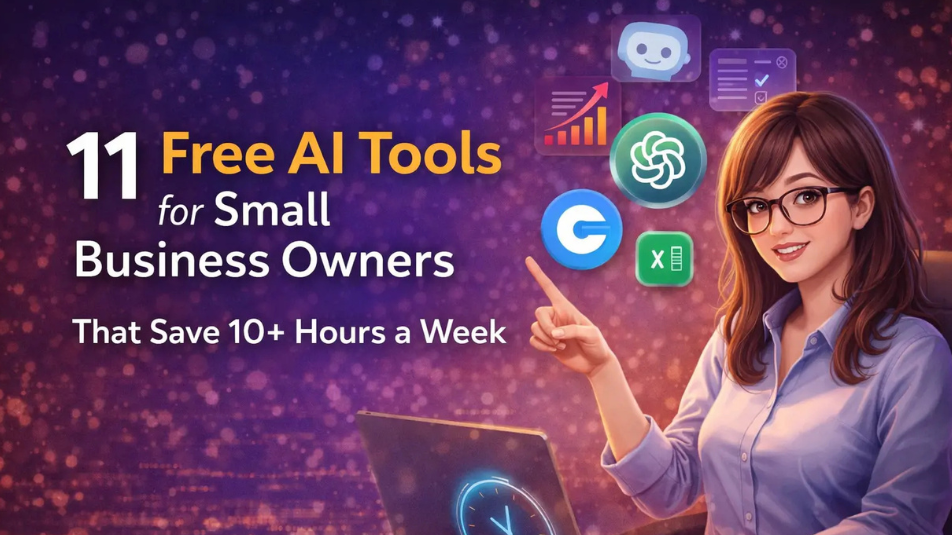
We spent three weeks running 40+ AI tools through actual small business workflows: writing client proposals, designing social posts for a local bakery, automating invoice follow-ups, answering customer FAQs, and producing blog content for an e-commerce store. The 11 tools below are the ones that survived that process with genuinely usable free tiers.
According to Business.com's 2026 Small Business AI Outlook Report, the average small business employee saves 5.6 hours per week using AI tools, with managers reporting over 7 hours. In our testing, stacking just three tools ChatGPT, Canva, and Zapier consistently cleared 8 hours of saved time per week on routine tasks.
Here are the 11 free AI tools that can help you run a leaner, faster small business in 2026.
1 | ChatGPT | Writing, emails, strategy | ✅ GPT-4o included | 3–4 hours |
2 | Canva (Magic Studio) | Social media design, branding | ✅ Generous | 2–3 hours |
3 | Notion AI | Business planning, knowledge base | ✅ Limited AI queries | 1–2 hours |
4 | Tidio | AI customer support chatbot | ✅ 50 AI conversations/mo | 2–3 hours |
5 | Zapier AI | Workflow automation | ✅ 100 tasks/mo | 2–4 hours |
6 | Copy.ai | Marketing copy, product descriptions | ✅ 2,000 words/mo | 1–2 hours |
7 | Perplexity AI | Research with citations | ✅ Fully free | 1–2 hours |
8 | Google Gemini | Research, planning, Google integration | ✅ Fully free | 1–2 hours |
9 | Predis.ai | Social media content creation | ✅ 15 posts/mo | 1–2 hours |
10 | Writesonic | Blog posts, SEO content | ✅ 25 generations/day | 1–2 hours |
11 | Fliki | Text-to-video for marketing | ✅ 5 min video/mo | 1–2 hours |
1. ChatGPT — Your 24/7 Business Assistant
Best for: Writing emails, brainstorming ideas, drafting proposals, content strategy
Free tier: GPT-4o model with daily usage limits, file uploads, web search
Estimated time saved: 3–4 hours/week
If you adopt one AI tool from this entire list, make it ChatGPT. Not because it's the flashiest but because it handles the widest range of tasks without needing a separate tool for each one.
We tested it on five core small business workflows: drafting client proposals, writing product descriptions, creating social media calendars, summarizing customer feedback, and generating job descriptions. It handled all five competently. Not perfectly but competently enough that you're editing output instead of staring at a blank page.
The free plan now includes GPT-4o, which was a paid-only model as recently as mid-2024. You can upload documents, have it analyze CSV files of customer data, and browse the web for current information. That last point matters the free tier now includes web search, which makes it far more useful for market research than it was a year ago.
What actually worked in testing:
We pasted a 2-paragraph business description and asked for 20 product description variations for a candle shop. It produced 20 usable drafts in about 90 seconds. Eight needed minor edits; three were genuinely good as-is.
We asked it to turn a rambling meeting transcript into an action-item list. It nailed the structure but missed one subtle commitment buried in small talk. Always cross-check.
Creating a 30-day social media content calendar from a single prompt took one attempt. The ideas were generic for the first week, then got more specific as the calendar progressed which tells you the model improves when it has more context to work with.
Where it falls short: ChatGPT gives you a strong starting point, never a final draft. Every output needs your judgment, your brand voice, and a fact-check. The free tier throttles during peak hours (typically mid-afternoon EST), and outputs occasionally sound like they were written by a very enthusiastic intern who just discovered adjectives.
Pro tip: Create a "Business Context" prompt a short paragraph describing your company, your audience, your tone, and what you absolutely never want the AI to say. Paste it at the start of every new chat. The difference in output quality is dramatic. We tested the same product description request with and without context: the contextualized version was usable immediately; the generic version needed a full rewrite.
→ Explore ChatGPT on MostPopularAITools
2. Canva (Magic Studio) — Design Without a Designer
Best for: Social media graphics, presentations, marketing materials, product photos
Free tier: 250,000+ templates, Magic Write AI, basic AI design features
Worth knowing: Background Remover is a Pro feature, not part of the free plan — free accounts get roughly 50 Magic Studio AI credits a month. For free alternatives, see our guide to the best AI photo editing tools.
Estimated time saved: 2–3 hours/week
Canva's free plan is absurdly generous for what you get. During testing, we designed a full week of Instagram posts for a fictional coffee shop branded, consistent, and platform-sized in under 40 minutes. Doing the same in Photoshop would take an afternoon.
The Magic Studio features are the real time-saver. Magic Design lets you describe what you want ("Instagram post for a spring coffee sale, warm tones, minimalist") and generates a complete design. It's not going to win design awards, but it's better than what 90% of small businesses currently post. Magic Write handles AI-powered copywriting inside the design itself, so you're not switching between ChatGPT and Canva constantly.
One feature that surprised us: the one-click resize. Design an Instagram post once, then convert it to a Facebook cover, LinkedIn banner, and print flyer in three clicks. For businesses posting across multiple platforms, this alone saves an hour a week.
What you can't do on free:
Premium templates (the best ones, honestly), most stock photos, and advanced AI features like Magic Eraser are paywalled. But for daily social media posts, email headers, product cards, and basic presentations? The free tier covers 80–90% of what a typical small business needs.
Our take: If ChatGPT is the tool you use most, Canva is the tool you'll enjoy using most. There's something satisfying about going from "I need a graphic" to "here's a graphic" in under three minutes.
→ Explore Canva Magic Studio on MostPopularAITools
3. Notion AI — Your Business Operating System
Best for: Project management, SOPs, meeting notes, internal knowledge base
Free tier: Notion free plan with limited AI queries per month
Estimated time saved: 1–2 hours/week
If your business processes live in scattered Google Docs, random Notes files, and your own head Notion fixes that. The AI layer sits inside your existing workspace and can summarize documents, draft SOPs, auto-fill database fields, and answer questions about your own notes.
We tested it by describing a supplier onboarding process in two sentences: "New suppliers need to submit insurance certificates, complete a quality questionnaire, and pass a sample order before we add them to our system. The whole process should take under two weeks." Notion AI produced a structured SOP with step-by-step procedures, checklist items, and a timeline in about 90 seconds. It needed three edits all minor wording adjustments.
Where it earns its place:
Drafting internal SOPs and employee handbooks from plain-English descriptions
Summarizing 20-page client briefs into a one-page action-item list
Building a searchable knowledge base that new hires can actually query instead of asking you the same questions repeatedly
Tracking projects, deadlines, and client pipelines in a connected workspace
The catch: The free plan's AI query limit is tight. If you're using the AI features multiple times a day, you'll burn through the allowance by mid-month. For weekly SOP drafting or occasional summarization, it's fine. Daily power users will need the $10/month AI add-on which, frankly, is worth it if you're building an operations hub.
→ Explore Notion AI on MostPopularAITools
4. Tidio — AI Customer Support That Works While You Sleep
Best for: Automated customer support, live chat, FAQ handling
Free tier: 50 Lyro AI conversations/month, live chat widget
Estimated time saved: 2–3 hours/week
Every small business owner has that moment at 9 PM when they see another "What are your hours?" email and think, "I've answered this 400 times." Tidio's AI chatbot (Lyro) eliminates that specific pain.
We uploaded a business FAQ page 23 questions about shipping, returns, hours, and product availability and had Lyro operational in under 40 minutes. No coding. No training data. It scraped the FAQ, learned the answers, and started handling live chat queries. We tested it with 15 common customer questions: it answered 12 correctly, partially answered 2, and correctly escalated 1 to a human (a complex return involving a damaged item). That's a solid hit rate for zero configuration.
Why this matters for small businesses:
50 free AI conversations per month covers most small, local, or early-stage businesses
No coding — install the chat widget with a single script tag
It handles overnight, weekend, and holiday inquiries when you're offline
Integrates with Shopify, WordPress, WooCommerce, and most e-commerce platforms
Reality check: 50 conversations will evaporate in 3–4 days if you run an e-commerce store with any real traffic. This tool is ideal for local businesses, service providers, or early-stage stores. High-traffic shops will need the paid plan ($29/month) almost immediately but even then, the ROI is clear when you calculate the support hours it replaces.
→ Explore Tidio on MostPopularAITools
5. Zapier AI — Automate the Boring Stuff
Best for: Connecting apps, automating repetitive workflows, eliminating manual data entry
Free tier: 100 tasks/month, 2-step automations (Zaps)
Estimated time saved: 2–4 hours/week
This is the tool on this list most likely to make you wonder why you didn't start using it sooner. Every small business has those tasks that are tedious but essential: copying new customer emails into a spreadsheet, sending follow-up messages after a purchase, posting a blog link to three social channels every time you publish.
Zapier connects over 6,000 apps. Its AI feature lets you describe what you want in plain English "When someone fills out my contact form, add them to my Mailchimp list and ping me on Slack" and it builds the automation.
Automations we tested that actually saved time:
New Shopify order → add customer to Mailchimp → send Slack notification (saved ~15 minutes per day of manual data entry)
New Google Form submission → create row in Google Sheets → send thank-you email (completely eliminated a daily 10-minute task)
New blog post published → auto-post to LinkedIn and Twitter (removed a workflow we kept forgetting to do)
The real limitation: 100 tasks per month and 2-step automations only. If you run an active e-commerce store processing 20+ orders a day, you'll hit the cap in under a week. The free tier is best suited for businesses with lower transaction volumes or for testing which automations actually matter before committing to a paid plan ($19.99/month).
→ Explore Zapier AI on MostPopularAITools
6. Copy.ai — Marketing Copy in Seconds
Best for: Ad copy, product descriptions, email campaigns, social media captions
Free tier: 2,000 words/month, 90+ templates, brand voice feature
Estimated time saved: 1–2 hours/week
Here's where Copy.ai earns its spot over just using ChatGPT for everything: specificity. ChatGPT is a generalist. Copy.ai is a marketing copywriter with 90+ templates designed for exact business writing scenarios Facebook ad copy, email subject lines, product descriptions, cold outreach emails, Instagram captions.
The brand voice feature is the real differentiator. We fed it three examples of a skincare brand's existing product copy, and it learned the tone well enough that subsequent outputs sounded consistent with the brand not perfect, but noticeably better than ChatGPT's generic marketing voice.
Best use cases:
Generating 10 product description variations to A/B test (we did this for a jewelry store 6 of 10 were usable)
Writing email campaign drafts, subject line included, in under 5 minutes
Creating ad copy variations for Google, Meta, and Instagram from a single product brief
The hard truth: 2,000 words per month is tight. That's roughly 4 product descriptions and 2 email campaigns and you're done for the month. Use Copy.ai for high-value marketing copy where brand voice matters. Use ChatGPT for longer, less brand-critical content like internal docs or blog outlines.
→ Explore Copy.ai on MostPopularAITools
7. Perplexity AI — Research With Sources You Can Trust
Best for: Market research, competitor analysis, fact-checking, sourced answers
Free tier: Fully free standard mode, limited Pro Search queries
Estimated time saved: 1–2 hours/week
Small business decisions should be backed by data, but researching competitor pricing or industry benchmarks usually means clicking through 30 search results and piecing together an answer from fragments.
Perplexity combines a search engine with an AI assistant and critically, it cites every source. Ask it "What are average customer acquisition costs for DTC e-commerce in 2026?" and you get a structured answer with clickable sources you can verify. That makes it dramatically more trustworthy than ChatGPT for any research where accuracy matters.
How we used it in testing:
Researched competitor pricing for a new product launch. Perplexity surfaced pricing data from 6 competitors in one query a task that would've taken 45 minutes of manual searching.
Verified a supplier's certifications before signing a contract. Found a discrepancy between what the supplier claimed and what the certification body's website showed.
Drafted a market research section for a business plan with proper citations. The output needed editing for narrative flow, but the data and sources were solid.
Limitation: Pro Search (which uses more advanced models for deeper reasoning) has a limited number of free queries per day. Standard search is fully free and handles most research tasks perfectly well.
→ Explore Perplexity AI on MostPopularAITools
8. Google Gemini — The Free All-Rounder With Live Web Access
Best for: Real-time research, Google Workspace integration, multi-modal analysis
Free tier: Fully free, no usage caps on standard version
Estimated time saved: 1–2 hours/week
Gemini is the most underrated tool on this list. Fully free, no usage caps, live web access, and deep Google Workspace integration. If your business runs on Gmail, Google Drive, and Google Calendar this is the AI assistant that actually understands your existing workflow.
The Workspace integration is where it becomes genuinely useful rather than just another chatbot. It can read your Gmail, search your Drive, check your Calendar, and pull data from Sheets all in one conversation. We tested "Summarize the last 5 emails from [client name]" and got a usable recap in seconds. We asked "What meetings do I have this week that conflict with my project deadlines?" and it cross-referenced Calendar with a task list in Sheets.
Where Gemini beats ChatGPT: Real-time web data, Google Workspace integration, and image/receipt analysis (upload a receipt, get it categorized instantly).
Where ChatGPT beats Gemini: Long-form content creation, creative writing, and nuanced tone control. Gemini's writing outputs are functional but lack personality like an email from someone who's competent but hasn't had coffee yet.
Our recommendation: Use both. Gemini for research, Workspace tasks, and anything requiring current web data. ChatGPT for writing, brainstorming, and content creation. They complement each other well.
→ Explore Google Gemini on MostPopularAITools
9. Predis.ai — AI Social Media Content Creator
Best for: Social media post creation, carousel design, video ads, content calendar
Free tier: 15 AI-generated posts/month, basic scheduling
Estimated time saved: 1–2 hours/week
Creating social media content consistently is one of the hardest things for small business owners. Not because it's difficult but because it's relentless. You know you should post 4-5 times a week, but designing visuals, writing captions, picking hashtags, and scheduling across platforms eats hours you don't have.
Predis.ai generates complete social media posts visual, caption, and hashtags from a text description. We typed "Instagram post for a local bakery's sourdough bread launch, rustic aesthetic" and got a publish-ready post in about 20 seconds. The design was decent (not Canva-level, but passable), the caption was engaging, and the hashtag suggestions were relevant.
The carousel and short video features are what set it apart from Canva. These are the content formats with the highest engagement on Instagram and LinkedIn, and they typically require a designer or a video editor. Predis makes them accessible to someone with zero design skills.
Limitation: 15 posts per month = roughly 3-4 posts per week on one platform. If you're managing multiple platforms at higher frequency, you'll need the paid plan ($29/month). For a single-platform social presence, the free tier is workable.
→ Explore Predis.ai on MostPopularAITools
10. Writesonic — AI Content Writer for SEO
Best for: Blog posts, SEO content, landing pages, article rewriting
Free tier: 25 generations/day (via Chatsonic), basic AI writing
Estimated time saved: 1–2 hours/week
If your small business depends on organic search traffic, you need content and writing SEO-optimized blog posts typically takes 3-4 hours per article between research, outlining, drafting, and editing.
Writesonic's Chatsonic feature combines AI writing with real-time web data, so content includes current facts rather than outdated training data. We tested it by asking for a 1,500-word blog post on "best accounting software for freelancers in 2026" with a target keyword. The first draft was structurally sound and included current pricing something ChatGPT's knowledge cutoff would miss. It needed about 30 minutes of editing for tone and accuracy, but that's still faster than writing from scratch.
Where it's useful:
Drafting first versions of SEO blog posts that you then edit for voice and accuracy
Rewriting existing content to improve clarity or refresh outdated information
Generating meta descriptions and title tags at scale for site pages
Producing content in 25+ languages for international businesses
Honest assessment: The free tier's output length is limited compared to paid plans, and the writing quality sits below ChatGPT for creative or nuanced content. Use Writesonic for SEO-first content where structure and keyword coverage matter more than prose style. Use ChatGPT for everything else.
→ Explore Writesonic on MostPopularAITools
11. Fliki — Turn Text Into Marketing Videos
Best for: Marketing videos, product explainers, social media video content
Free tier: 5 minutes of video per month, AI voices, stock media
Estimated time saved: 1–2 hours/week
Video content drives engagement everywhere but hiring a video editor or learning Premiere Pro is not realistic for a business owner who's already wearing six hats.
Fliki converts text (blog posts, scripts, product descriptions) into videos with AI voices, stock footage, and subtitles. We pasted a 300-word product description for a fitness supplement, selected a voice and visual style, and had a 60-second product video in about 4 minutes. The quality sits somewhere between "professional enough for social media" and "obviously not made by a production company" which is exactly the sweet spot for small business social content.
Practical use cases:
Repurpose blog posts into 60-second video summaries for Instagram Reels, YouTube Shorts, or TikTok
Create product explainers without appearing on camera (great for camera-shy founders)
Generate multilingual video content using AI voices in 75+ languages
Build quick onboarding or training videos for new hires
The constraint: 5 minutes of video per month is one, maybe two short social clips. It's enough to test whether video content works for your audience before committing to the paid plan ($28/month). Think of the free tier as a proof-of-concept, not a production pipeline.
→ Explore Fliki on MostPopularAITools
How to Get Started Without Getting Overwhelmed
Signing up for all 11 tools today is the fastest path to using none of them by next month. Here's a more realistic approach:
Week 1 — The essentials. Set up ChatGPT (writing), Canva (design), and Google Gemini (research). All three are fully free, require no technical setup, and cover the broadest range of small business tasks. Spend the week using them on actual work, not experimenting.
Week 2 — Fix your biggest time drain. If you answer the same customer questions daily, add Tidio. If you manually copy data between apps, add Zapier. Pick based on what frustrates you most, not what sounds coolest.
Week 3 — Layer in content tools. Add Predis.ai if social media consistency is your gap, or Writesonic if you need blog content for organic traffic. Don't add both pick the channel that matters more for your business right now.
Week 4 — Evaluate honestly. Track how much time you're actually saving. Drop the tools you opened once and forgot about. Upgrade the ones that proved their value. The goal is a tight stack of 3–4 tools that you use daily, not a graveyard of 11 accounts.
Frequently Asked Questions
How many hours per week can free AI tools realistically save a small business?
Combining 3–4 tools from this list saves most small business owners 5–10 hours per week. The biggest gains come from ChatGPT (eliminating blank-page time on writing tasks) and Zapier (automating repetitive data entry). Add Tidio for customer support and you're looking at 10+ hours though actual savings depend on your business type and workflow.
Do I need technical skills to use these AI tools?
No. Every tool on this list works through a web browser with no coding required. Tidio installs with one script tag, Zapier lets you describe workflows in plain English, and Canva is drag-and-drop. The most technical step in this entire list is copying and pasting a chat widget code.
Which free AI tool should I start with first?
ChatGPT. It handles the widest range of tasks, requires zero setup, and the free tier now includes GPT-4o. Add Canva next if visual content is part of your workflow, or Tidio if customer support eats your time.
Are free AI tools good enough, or do I need paid plans?
For most small businesses in 2026, yes the free tiers are genuinely capable. ChatGPT, Gemini, Canva, and Perplexity cover the majority of needs without spending anything. Upgrade only when you hit specific limits: more Zapier tasks, longer Fliki videos, or higher Copy.ai word counts.
Can AI tools replace hiring employees?
Not entirely, but they can delay or reduce hiring for specific roles. A solo founder using ChatGPT + Canva + Tidio + Zapier can handle the workload that previously required a part-time marketing assistant and a customer support rep. AI handles the repetitive execution; you provide strategy, judgment, and the human decisions that actually matter.
What about data privacy when using free AI tools?
Established tools like Google Gemini, ChatGPT, Canva, and Notion have enterprise-grade privacy policies. The rule of thumb: never enter sensitive customer data (credit card numbers, health information, SSNs) into any AI tool. For general business content marketing copy, product descriptions, emails these tools are safe to use.
Final Thought
Free AI tools in 2026 are not gimmicks. They are genuine productivity multipliers that let small businesses compete with larger companies without matching their headcount or budgets.
The businesses that benefit most are not the ones using the most tools they are the ones that identified their biggest time wasters and applied the right AI tool to eliminate them.
Pick one tool from this list. Solve one problem this week. The time you save will convince you to keep going.
Explore all AI tools mentioned in this article on MostPopularAITools.com — the trusted AI tools directory with 200+ verified tools across every category.