
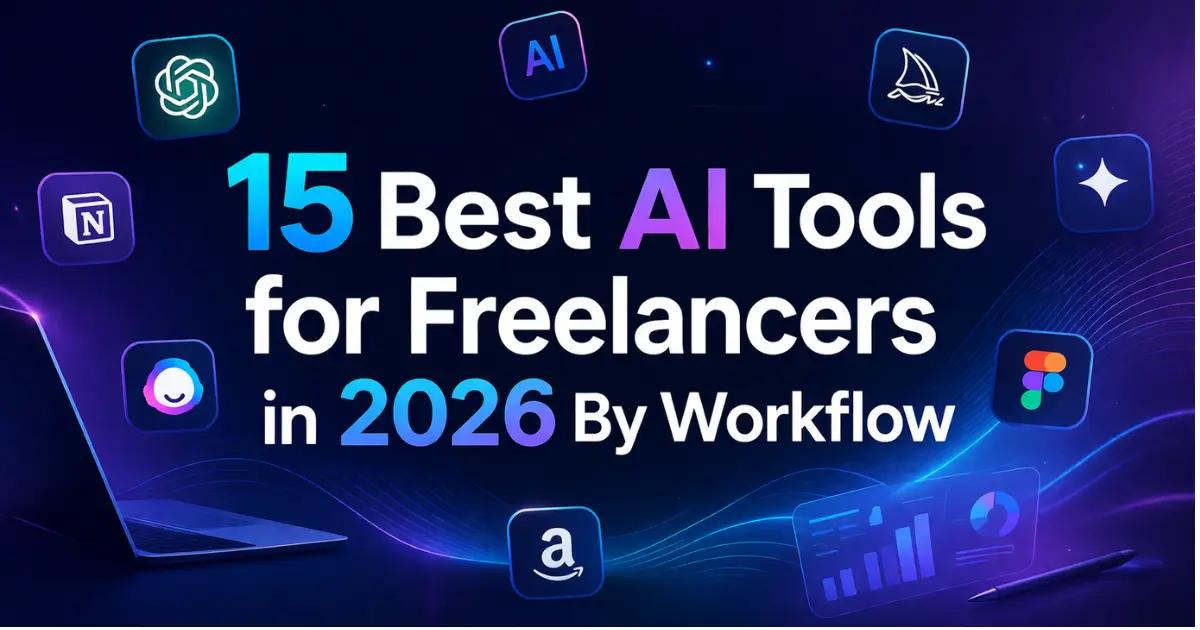
The freelancer economy crossed 76 million workers in the United States alone this year, and every single one of them faces the same bottleneck. There are only so many hours in a day. Unlike agencies that distribute work across departments, a freelancer wears every hat at once: salesperson, creative director, project manager, bookkeeper, and continuous learner.
AI tools have matured past the experimental phase. In 2026, roughly 77% of freelancers report using at least one AI tool daily, and those who do consistently report 20–40% productivity gains the equivalent of one to two extra working days every week without billing a single additional hour. The problem is no longer the lack of tools; it's the overwhelming surplus.
This guide cuts through the noise with 15 tools we have personally vetted in our AI tools directory, organized by the five stages of an actual freelance workweek. Every tool listed here is hand-tested with real pricing, real features, and zero dead links.
How We Organized This Guide
Most "best AI tools" lists dump 30 tools with no structure. We did the opposite. We mapped the five core workflow stages every freelancer moves through each week and assigned tools where they deliver the highest impact.
The flow works like a pipeline: Acquire clients → Create deliverables → Manage projects → Handle finances → Upskill continuously. Pick the stage that bottlenecks you most and start there. Every tool in this guide has been used inside our own freelance workflow over the last 12 months, not just researched on the surface.
Which AI Tool Is Right for You? (Quick Decision Guide)
Before you scroll through 15 tools, here is the fastest way to figure out where to start based on your freelance niche:
Freelance writers and content marketers → Start with ChatGPT + Writesonic for drafts, then Notion AI for organization.
Freelance designers and visual creators → Start with Magic Studio (Canva) + Midjourney. Together they replace an entire design team.
Freelance digital marketers → Start with Copy.ai + ChatGPT + Zapier AI for outreach, content, and automation.
Freelance developers and consultants → Start with ChatGPT for code and Notion AI for client documentation.
Freelance video creators and course makers → Start with Dadi AI for production and Taskade for project flow.
Brand-new freelancers on a $0 budget → Skip ahead to the Free AI Tools Stack below.
Now let's break down each tool by workflow stage.
Best AI Tools for Freelancer Client Acquisition & Outreach
Every dollar you earn as a freelancer starts with a client saying "yes." The acquisition phase is where most solopreneurs waste disproportionate time writing cold emails, personalizing proposals, and managing inbox chaos. These three tools cut that cycle down dramatically. For more options, browse our complete marketing tools category.
1. Copy.ai — Best for Cold Outreach Sequences
Copy.ai is purpose-built for persuasive, conversion-focused writing the exact type freelancers need when reaching out to potential clients. While general-purpose AI assistants handle every kind of communication, Copy.ai specializes in cold outreach emails, follow-up sequences, value proposition statements, LinkedIn messages, and pitch deck copy.
The platform offers structured templates designed around specific outreach goals, so you are not starting from a blank page every time. The Workflow feature lets you build reusable outreach sequences that maintain your personal voice across every touchpoint.
When we tested Copy.ai for a 20-prospect outreach campaign, the entire batch including subject lines, opener variations, and three follow-up emails took 25 minutes versus the usual three-plus hours.
For freelancers who send 20+ outreach messages per week, Copy.ai turns a multi-hour chore into a 30-minute process. The AI also learns your style over time, producing copy that sounds less generic with each iteration.
Top use cases for freelancers:
Build a 5-email cold outreach sequence with subject lines and CTAs in 20 minutes
Generate 10 tailored LinkedIn connection messages for different industries in one sitting
Create reusable pitch templates the AI auto-adapts per prospect
Draft escalating follow-up messages for leads who opened but never replied
Write case study summaries from raw project notes to attach as social proof
Full Review: Copy.ai on MostPopularAITools
2. Superhuman AI — Best for Inbox Triage
Superhuman is the email client freelancers upgrade to once inbox overload starts costing them clients. The AI layer automatically triages your inbox prioritizing messages from active clients and hot leads while pushing newsletters and low-priority threads out of sight. The "Write with AI" feature drafts responses that match your personal tone, learning from how you have written past emails.
For a freelancer juggling five to ten active client threads, the difference is immediate. Instead of spending 90 minutes each morning processing email, you spend 20 and every response sounds like you carefully crafted it, even when the AI handled the heavy lifting. The split inbox separates client communication from everything else, so you never miss a time-sensitive reply buried under promotional noise.
If email management consumes more than an hour of your day, Superhuman pays for itself within the first week.
Top use cases for freelancers:
Clear your entire inbox by 9:15 AM with AI-drafted replies in your personal tone
Auto-split client emails from newsletters so urgent messages never get buried
Generate instant reply suggestions for scope changes, timeline updates, and availability requests
Process 50 emails in the time it used to take for 15, using keyboard-first shortcuts
Snooze and resurface emails at the exact time you need to act on them
Full Review: Superhuman AI on MostPopularAITools
3. ChatGPT — Best for Freelance Proposals
ChatGPT is the Swiss Army knife of freelancer AI, and for client acquisition specifically, it excels at drafting customized proposals, cover letters, and pitch strategies. Feed it the job description, your relevant experience, and a target tone, and it produces a first draft in seconds that would have taken 20–30 minutes to write manually.
The free tier is genuinely usable for daily proposal work. The Plus plan at $20/month unlocks faster responses and higher usage limits. The key to making ChatGPT proposals stand out is context paste the client's full project brief, specify your unique angle, mention one specific thing you noticed about their business, and ask for three variations. Then edit the strongest one with your own voice.
Freelancers who follow this workflow consistently report a measurable jump in proposal acceptance rates not because the AI writes better proposals, but because they send more quality proposals with the same time investment. Browse more writing options in our text tools category.
Top use cases for freelancers:
Generate three proposal angles from a single client brief in 90 seconds
Customize opening paragraphs per prospect based on their specific business details
Create cover letter variations in professional, casual, and authoritative tones from one brief
Brainstorm unique value propositions when a job description is vague or generic
Send five quality proposals per day instead of two by cutting draft time in half
Full Review: ChatGPT on MostPopularAITools
Best AI Tools for Freelance Content & Creative Work
This is where AI earns its keep for most freelancers. Whether you write blog posts, design social media graphics, create video content, or generate visuals for client pitches, these four tools cover the full creative spectrum.
4. Writesonic — Best for Volume Content Production
Writesonic is tailored specifically for freelance writers and content marketers who need to produce content at volume without sacrificing quality. It goes beyond generic AI text generation by offering structured workflows for blog articles, product descriptions, ad copy, landing pages, and email campaigns each with its own template optimized for that content type.
The Article Writer feature is where freelance writers get the most value. Input your topic, target keywords, and preferred structure, and Writesonic generates a complete first draft with proper headings, natural transitions, and a logical flow. The built-in SEO suggestions ensure your content targets the right terms from the start, saving a separate optimization pass later.
The freemium model lets you test the full workflow before committing to a paid plan. For freelancers who write three or more articles per week, Writesonic pays for itself in the first week by cutting first-draft time roughly in half.
Top use cases for freelancers:
Generate a structured 2,000-word blog first draft in 10 minutes instead of writing from scratch
Batch-produce 20 product descriptions with consistent tone for an e-commerce client
Create five headline variations and meta descriptions per article for A/B testing
Repurpose a long-form post into a LinkedIn article, newsletter section, and social captions
Build SEO-optimized landing page copy with keyword targeting baked into the first draft
Full Review: Writesonic on MostPopularAITools
5. Magic Studio (Canva) — Best for Visual Design
Magic Studio is Canva's AI-enhanced creative suite, and it has become indispensable for freelancers who deliver any form of visual work. Magic Design generates complete layouts from a single text prompt. Magic Resize reformats one design into dozens of platform-specific dimensions Instagram square, LinkedIn banner, Pinterest pin, Twitter header in a single click. Background removal, AI image generation, text-to-graphic conversion, and brand kit management are all built in.
When we used Magic Studio to produce a full week of social content for a client, the work that previously took half a day collapsed into about 30 minutes. The freemium plan covers basic needs and includes limited AI features. The Pro tier unlocks the complete AI suite, premium templates, and a massive stock asset library.
If you deliver any visual work to clients even just formatting a report or making a presentation look professional this tool pays for itself immediately.
Top use cases for freelancers:
Design one master post and Magic Resize it into five platform formats in a single click
Create a client pitch deck from a text prompt using Magic Design in under 15 minutes
Remove product photo backgrounds without Photoshop or a separate subscription
Lock a brand kit per client so every deliverable stays on-brand automatically
Generate a full week of social media graphics in 30 minutes instead of three hours
Full Review: Magic Studio on MostPopularAITools
6. Dadi AI — Best for AI Video Without a Camera
Dadi AI solves a specific problem that costs freelancers thousands producing professional video content without being on camera, buying equipment, or learning video editing software. The platform turns images into photorealistic talking avatars that speak in over 120 languages using AI text-to-speech. Upload a headshot or choose from stock avatars, paste your script, and Dadi generates a polished video with natural lip-sync and voice.
For freelancers who create course content, client walkthrough videos, social media reels, product explainers, or multilingual presentations, this eliminates the entire production pipeline. No camera, no lighting, no editing timeline. The free tier is surprisingly capable for basic projects.
For freelancers who previously avoided video deliverables because the production overhead was too high, Dadi AI opens an entirely new revenue stream. Explore more options in our videos category.
Top use cases for freelancers:
Deliver a product explainer video in two languages without recording a single frame
Create a portfolio welcome video using a professional avatar instead of filming yourself
Produce weekly social media video tips for a client using a consistent AI presenter
Build a 5-lesson mini course for a coaching client in days instead of weeks
Generate client walkthrough videos explaining project deliverables in their native language
Full Review: Dadi AI on MostPopularAITools
7. Midjourney — Best for Premium Image Generation
Midjourney remains the gold standard for AI image generation when visual quality is non-negotiable. For freelancers who need hero images for blog posts, concept art for client pitches, social media visuals, brand mood boards, or product mockups, Midjourney produces results that routinely pass as professional photography or custom illustration.
The platform runs through Discord, which takes some getting used to, but the output quality more than compensates for the unconventional interface. The Basic plan includes approximately 200 generations per month — more than enough for most freelance workflows.
The real power move is pairing Midjourney with Magic Studio generate the core image in Midjourney with precise style control, then add text overlays, branding, and multi-format exports in Canva. Together, these two tools replace an entire design team for most freelance visual needs. Browse more options in our images category.
Top use cases for freelancers:
Generate five unique blog hero images with a consistent visual style in 45 minutes
Create a 15-image mood board for a branding client without stock photo subscriptions
Produce photorealistic product mockups before the physical product is manufactured
Build custom social media visuals that match a client's exact aesthetic no generic stock
Design pitch deck illustrations tailored to a prospect's industry in minutes
Full Review: Midjourney on MostPopularAITools
Best AI Tools for Freelancer Project Management & Productivity
The number one complaint from freelancers earning over $100K annually is not finding clients it is managing them. When you juggle five to ten active projects simultaneously, things slip through the cracks. Deadlines blur, deliverables get lost in email threads, and context-switching murders your deep work hours. These three tools use AI to keep everything on track.
8. ClickUp AI — Best All-in-One Workspace
ClickUp positions itself as a replacement for Notion, Asana, and Slack combined and for solo freelancers, it gets surprisingly close to delivering on that promise. The platform includes task management, collaborative docs, Kanban boards, Gantt charts, time tracking, and goal setting in a single subscription.
ClickUp Brain, the AI layer, adds capabilities that matter specifically for solopreneurs. The AI Knowledge Manager searches across your entire workspace tasks, docs, comments, attachments and answers questions about your own projects. The AI Project Manager auto-generates standup summaries and status updates, which is invaluable when a client asks "where do we stand?" and you need a comprehensive answer in 60 seconds.
The AI Writer handles quick content drafts directly inside your project docs. The automation builder creates if-this-then-that workflows without coding for example, automatically moving a task to "Ready for Review" when all subtasks are checked off.
Explore more options in our productivity tools category.
Top use cases for freelancers:
Ask ClickUp Brain for a project status summary and paste it into a client reply in two minutes
Auto-move tasks to "Ready for Review" when all subtasks are complete with zero manual tracking
Draft a project scope document inside the same workspace where you manage the tasks
Track billable hours per client natively and generate weekly time reports without exporting
Set up recurring task templates for onboarding every new client in one click
Full Review: ClickUp AI on MostPopularAITools
9. Notion AI — Best for Knowledge & CRM
Notion AI is the preferred tool for freelancers who think in systems. Its block-based architecture lets you build custom CRMs, project trackers, content calendars, client onboarding checklists, and knowledge bases from scratch — or use one of thousands of community templates to skip the setup entirely. Notion AI adds workspace-wide intelligence on top of this flexible foundation.
The AI features include a search engine that answers questions about your own documents, meeting note generation from raw transcripts, automatic database autofill based on patterns, and content drafting inside any page. For freelancers who run their entire business inside Notion client database, project pipeline, SOPs, financial tracker, notes the AI layer transforms it from a passive filing cabinet into an active assistant.
Ask it "What deliverables are due this week?" and it pulls the answer from your project databases. Ask it to draft a meeting recap from your notes, and it structures the output with action items already highlighted. Notion excels at knowledge management and long-term business organization over pure day-to-day task tracking.
Top use cases for freelancers:
Ask "Which clients haven't been contacted in 30 days?" and get an instant re-engagement list
Paste raw meeting notes and let AI extract action items, owners, and deadlines into a structured recap
Create a master SOP library for recurring deliverables AI drafts each SOP from your bullet points
Auto-fill client database fields like industry, project type, and contract value based on patterns
Search across all your docs with one question instead of manually digging through pages
Full Review: Notion AI on MostPopularAITools
10. Taskade — Best Free AI Project Management
Taskade takes a fundamentally different approach from ClickUp and Notion it leads with AI agents that automate entire workflows rather than just assisting with individual tasks. The platform supports custom AI agents that can handle over 700 task types: generating project outlines from a client brief, creating meeting agendas, drafting follow-up emails, breaking down complex deliverables into granular checklists, and summarizing long documents into actionable bullet points.
The visual workflow builder lets you create mind maps that convert into structured task lists and vice versa, which is ideal for freelancers who think visually during the planning phase but need structured lists during execution. Real-time collaboration is built in, so you can share live project spaces with clients without giving them access to your entire workspace.
The free tier is generous enough for solo freelancers managing a handful of active projects, making Taskade the best no-cost entry point for AI-powered project management.
Top use cases for freelancers:
Paste a vague client brief and get a full project plan with milestones and timelines in five minutes
Convert a brainstorm mind map into an actionable task list without recreating anything
Share a live project workspace with a client without exposing your other projects
Auto-generate weekly status reports from completed and pending tasks for client emails
Use AI agents to draft meeting agendas and follow-up emails after every client call
Full Review: Taskade on MostPopularAITools
Best AI Tools for Freelance Finance & Invoicing
The dirty secret of freelancing is that creative work is the fun part invoicing, expense tracking, and financial admin is where most solopreneurs procrastinate until it costs them real money. These three AI tools handle the administrative and financial overhead so you can focus on billable work.
11. Zapier AI — Best for Automation Workflows
Zapier AI is the automation backbone that connects your invoicing, payments, and financial tracking tools into a seamless, hands-off system. While Zapier itself is not an accounting tool, its AI-powered automation builder lets you create workflows that eliminate every manual step in your financial process and for freelancers, the financial use cases alone justify the subscription.
Set up automated Zaps that generate an invoice the moment a project status changes to "Complete" in your project management tool. Create workflows that log every incoming payment to a Google Sheet, categorize expenses from receipt emails, send automatic payment reminders three days before due dates, and notify you the instant a client payment lands.
The AI assistant builds these automations from natural language descriptions describe what you want in plain English, and Zapier creates the multi-step workflow for you. The freemium plan covers basic automations, and for most solo freelancers, that is enough to automate 80% of their financial admin.
Top use cases for freelancers:
Auto-generate and email an invoice the moment a project moves to "Done" in ClickUp
Log every incoming payment to a spreadsheet with date, amount, client, and project automatically
Send payment reminder emails three days before due dates and a follow-up the day after if unpaid
Tag and categorize bank expenses as software, travel, contractor, or supplies without manual bookkeeping
Trigger a thank-you email to the client the instant their payment clears your account
Full Review: Zapier AI on MostPopularAITools
12. Monica AI — Best for Financial Drafting
Monica is an all-in-one AI assistant powered by GPT, Claude, and Gemini models simultaneously, and it becomes a freelancer's financial sidekick when applied to the money side of the business. Use it to draft professional invoice cover emails, calculate project profitability from your rate and time logs, generate expense reports, write payment follow-up messages that are firm but polite, and analyze your monthly revenue data for trends.
Monica works as a browser extension and standalone app, which means it is available wherever you do your financial work inside your bank dashboard, your invoicing platform, your spreadsheet, or your email. The multi-model architecture means you get the best output regardless of the task: one model might handle number crunching better, while another drafts more persuasive payment reminders.
The free tier is robust enough for daily financial admin tasks, making Monica one of the easiest tools to add to your existing finance workflow.
Top use cases for freelancers:
Categorize a month of bank transactions into business vs. personal and generate a tax-ready expense report
Draft a polite but firm overdue payment reminder with the exact invoice number pulled from context
Calculate your effective hourly rate on any project by pasting hours and invoice amount
Summarize quarterly revenue into top client, highest-margin service, and month-over-month trend
Write professional invoice cover emails customized per client in 30 seconds
Full Review: Monica AI on MostPopularAITools
13. MaxAI — Best Browser-Based AI for Contracts
MaxAI is a browser-based AI assistant that reads, writes, summarizes, translates, and interacts with any web content you are viewing and that includes invoicing platforms, banking dashboards, contracts, and financial documents. For freelancers who do not want yet another standalone finance app, MaxAI brings AI capabilities directly into the tools they already use.
Highlight a client contract and ask MaxAI to extract the payment terms, milestone amounts, and due dates into a structured list. Summarize a long SOW into the financial commitments you need to track. Draft a late-payment email directly inside your Gmail tab without switching to a separate writing tool. Compare two vendor quotes side-by-side and get a plain-English recommendation.
MaxAI eliminates the friction of context-switching between your financial tools and your AI assistant because it lives inside every tab.
Top use cases for freelancers:
Extract every financial obligation from a 12-page contract into a clean checklist in seconds
Draft a late-payment email inside Gmail without switching to a separate writing tool
Compare two subcontractor quotes side-by-side and get a plain-English value recommendation
Translate a foreign-language invoice and summarize the payment obligations before signing
Summarize a long SOW into just the milestone amounts, deadlines, and penalty clauses
Full Review: MaxAI on MostPopularAITools
Best AI Tools for Freelancer Learning & Upskilling
The freelancers who thrive long-term are the ones who continuously upgrade their skills. The market shifts fast, client expectations evolve, and the tools themselves change quarterly. In 2026, AI makes the learning process dramatically more efficient — letting you absorb, synthesize, and apply new information in a fraction of the traditional time.
14. Doctrina AI — Best for Active Learning
Doctrina AI is an education platform built for active learning not passive consumption. It lets you upload notes, articles, course materials, or any reference documents and then transforms them into structured learning tools: AI-generated quizzes that test your understanding, enriched notes that fill in knowledge gaps, structured essays that deepen your reasoning, and interactive AI discussions where you can debate concepts and pressure-test your understanding.
For freelancers, the use case goes beyond formal education. Upload a collection of industry articles and let Doctrina generate a quiz that identifies blind spots in your knowledge. Feed it documentation for a new tool or framework you need to learn for a client project, and ask it to create a structured study guide with the most important concepts highlighted. Take raw notes from a conference talk or webinar and have Doctrina turn them into polished, organized reference material you can revisit.
The free plan makes this accessible to every freelancer regardless of budget. Explore more options in our education tools category.
Top use cases for freelancers:
Upload framework documentation and generate a focused study guide to learn it in hours instead of days
Turn 10 industry articles into a single summary with knowledge-check questions
Convert raw conference notes into organized, structured reference material you can revisit
Prepare for a client meeting in an unfamiliar industry by quizzing yourself on uploaded reports
Identify blind spots in your expertise by taking AI-generated assessments on your own materials
Full Review: Doctrina AI on MostPopularAITools
15. ChatGPT — Best as an AI Tutor
ChatGPT appears twice in this guide because it genuinely serves two distinct functions. For learning, it acts as an infinitely patient tutor that adapts to your knowledge level in real time. Ask it to explain a complex marketing framework like you are a complete beginner, or ask it to critique your understanding of a technical concept at an advanced level it adjusts seamlessly and never gets frustrated by follow-up questions.
The web browsing capability makes it especially powerful for researching emerging trends, new tools, and market shifts. You can paste error messages and get debugging explanations, upload datasets and request analysis walkthroughs, or ask for project-based learning paths tailored to your specific freelance niche.
The compounding effect of learning 15 minutes faster every day adds up to hundreds of hours over a year. Unlike traditional courses that follow a fixed curriculum, ChatGPT lets you learn exactly what you need for the project sitting in front of you with no filler modules, no prerequisites, and no waiting for the next lesson to unlock.
Top use cases for freelancers:
Brief yourself on a new client's industry in 30 minutes key challenges, terminology, competitors, and strategies
Get a debugging explanation by pasting an error message instead of searching Stack Overflow for an hour
Request a project-based learning path tailored to a skill gap you need to close this week
Ask for a concept explained at beginner, intermediate, or expert level depending on your familiarity
Research an emerging trend and get a structured summary with pros, cons, and practical applications
Full Review: ChatGPT on MostPopularAITools
Best AI Tools for Freelance Business Proposals (The Make-or-Break Stage)
Proposals are where freelance careers are made or stalled. Sending five customized, well-targeted proposals per day at 30% acceptance beats sending fifteen generic ones at 5%. AI tools collapse the proposal creation cycle from 30 minutes to under five without sacrificing personalization. Here is the exact stack we use for proposals.
For the proposal draft itself: ChatGPT is unmatched. Paste the full job brief, your relevant portfolio samples, your unique angle on their problem, and ask for three opening paragraphs in different tones confident, consultative, and casual. Edit the strongest one in your own voice. The trick is feeding it specific context about the prospect's business, not just the job description.
For persuasive sales copy inside the proposal: Copy.ai handles the value proposition section, benefit bullets, and the closing CTA better than general-purpose models because its templates are trained on conversion-focused copy specifically.
For visual proposal decks: Magic Studio generates a fully designed pitch deck from a text prompt in under 15 minutes. Pair it with a hero image from Midjourney for visuals that look custom-made.
For proposal tracking and follow-up: Zapier AI automates the moment a proposal is sent logging it to a tracking sheet, scheduling a follow-up email three days later, and tagging the prospect in your CRM if they open the document.
For tightening your proposal language: MaxAI lives inside Gmail and Google Docs, so it can review your full proposal in context and suggest sharper phrasing without you having to copy-paste anywhere.
A practical workflow we recommend: spend 10 minutes feeding ChatGPT the brief and generating drafts, 5 minutes editing the strongest one, 10 minutes building a quick deck in Magic Studio, and 2 minutes setting the Zapier follow-up sequence. Twenty-seven minutes total. Most freelancers spend over an hour on a single proposal this lets you send three in the same time.
Free AI Tools for Freelancers — The $0/Month Stack
Not ready to invest yet? Here is a complete AI toolkit that costs absolutely nothing. Every tool below has a free tier that is genuinely usable not a seven-day trial that vanishes.
Client Outreach → ChatGPT Free for proposals, pitch emails, client communication, and brainstorming
Content Writing → Writesonic Freemium for blog posts, marketing copy, and product descriptions
Design & Visuals → Magic Studio (Canva) Freemium for social graphics, presentations, and brand kits
Image Generation → Midjourney for hero images, concept art, and brand mood boards
Video Creation → Dadi AI Free for talking-head videos, AI avatars, and multilingual content
Project Management → Taskade Free for AI-powered workflows, mind maps, and task automation
Financial Automation → Zapier AI Freemium for connecting invoicing, payments, and reminders
All-in-One AI Assistant → Monica AI Free for writing, calculations, summaries, and analysis from anywhere
Learning → Doctrina AI Free for quizzes, study guides, enriched notes, and AI discussions
This stack covers every stage of a freelancer's workflow without a single paid subscription. Start here, measure which stage bottlenecks your growth, then upgrade only that tool first.
Common Mistakes Freelancers Make with AI Tools (And How to Avoid Them)
After watching dozens of freelancers integrate AI into their workflow over the past two years, the same five mistakes keep showing up. Avoid these and you will leapfrog 80% of your competition.
Mistake 1: Stacking ten subscriptions on day one. New users get excited and subscribe to every tool they read about. Six weeks later, they are paying $200/month and using three of them. Start with the free stack, use it on real client work for 30 days, and only then upgrade the single tool that bottlenecks your growth.
Mistake 2: Treating AI output as final. Clients can tell when a copy is unedited AI it has a generic rhythm, vague claims, and over-uses words like "delve," "leverage," and "robust." Always edit. Always inject your voice. AI gives you the 60% draft; the last 40% is what makes it yours.
Mistake 3: Ignoring data privacy. Pasting confidential client briefs, contracts, or proprietary information into free-tier tools means that data may be used for model training. Use paid plans or enterprise tiers when handling sensitive client data, and always read the data-retention policy before pasting anything you would not want public.
Mistake 4: Skipping the prompt context. "Write me a proposal for a logo design project" produces generic slop. "Write a proposal for a $3,000 logo project for a sustainable skincare startup, emphasizing my experience in eco-conscious branding, in a confident but warm tone" produces something usable. The richer your context, the better the output every single time.
Mistake 5: Not building reusable templates. Most freelancers re-invent every prompt from scratch. The smart move is to build a personal prompt library proposal templates, follow-up sequences, content briefs and reuse them across projects with minor tweaks. This compounds your AI productivity over time.
Frequently Asked Questions
Which AI is best for freelancers?
The best AI tool for freelancers depends on your workflow stage. ChatGPT is the strongest all-purpose tool for proposals, research, and learning. Copy.ai wins for cold outreach. Magic Studio (Canva) leads for design. ClickUp AI handles project management. Most freelancers run a stack of 3–5 tools, not one.
Can I use AI to do freelancing?
Yes, freelancers in 2026 use AI tools daily for everything from writing proposals and managing projects to generating visuals and tracking finances. AI does not replace freelance skill it amplifies it. The freelancers earning the most are typically the ones using AI to deliver more quality work in less time, not to fully automate their service.
What are the best free AI tools for freelancers in 2026?
The best free AI tools for freelancers include ChatGPT for writing and proposals, Midjourney for image generation, Dadi AI for video creation, Taskade for project management, Monica AI as an all-in-one assistant, and Doctrina AI for learning. Together, these cover writing, design, video, project management, finance, and upskilling at zero cost.
How much should a freelancer spend on AI tools per month?
Most freelancers build a powerful stack for $20–50 per month. A writing tool like ChatGPT Plus at $20/month covers content and proposals. Adding ClickUp AI for project management while keeping design free with Magic Studio (Canva) keeps total costs under $35/month. Only upgrade the specific workflow stage that bottlenecks your growth.
Can AI tools replace hiring a virtual assistant?
AI tools handle many VA tasks drafting emails, organizing projects, generating social content, managing invoices, and conducting research. However, AI cannot replace a VA for tasks requiring human judgment, real-time client interaction, or relationship nuance. Most freelancers find AI reduces their need for a VA by 60–80% rather than eliminating the role entirely.
Which AI tool is best for writing freelance proposals?
ChatGPT is the strongest general-purpose tool for proposal writing it generates multiple variations quickly and adapts to different tones. Copy.ai is stronger for the persuasive, sales-focused outreach messages that introduce your proposal. For best results, feed the AI your client's full project brief, your specific experience, and your unique angle rather than asking for a generic template.
Can I make $1,000 a month freelance writing using AI?
Yes, $1,000/month is achievable in 2–4 months of consistent freelance writing supported by AI tools. AI helps you write more articles per week (3x output is common with Writesonic or ChatGPT drafts), send more proposals per day, and reduce time spent on admin. The income ceiling is determined by your niche, rates, and pitching consistency not by AI itself.
Are AI tools safe to use for client work?
Yes, with precautions. Avoid pasting confidential client data into free-tier tools, as those conversations may be used for training. Paid plans from most major providers do not train on your data. Always review AI output before sending to clients, disclose AI usage if your contract requires it, and never rely on AI for legal or financial advice without professional verification.
What is the 30% rule in AI for freelancers?
The 30% rule is an unofficial guideline among AI-assisted freelancers never let AI generate more than 30% of the final deliverable verbatim. The remaining 70%+ should be your own editing, restructuring, and original insight. This keeps your work distinctively yours, avoids AI-detection issues with clients, and ensures you remain the expert behind the deliverable rather than a pass-through pipe for generic AI output.
Start Building Your AI Stack Today
The freelancers winning in 2026 are not using the most AI tools they are using two to three tools well, focused on the workflow stages that eat the most time. The compounding effect of genuinely integrating one tool into your daily routine beats having ten subscriptions you barely open.
Start with the $0/month stack above. Use it on real client work for 30 days. Identify which stage acquiring clients, creating deliverables, managing projects, handling finances, or upskilling is your biggest bottleneck. Then upgrade only that stage's tool to a paid plan. This targeted approach keeps costs low while maximizing the actual impact on your revenue.
Every tool in this guide is verified, tested, and listed in our AI tools directory. No filler, no tools that sound impressive but collect dust. Bookmark this page, share it with your freelancer network, and revisit quarterly we update this guide as pricing changes and new features launch.