Compiled by Amit Kumar
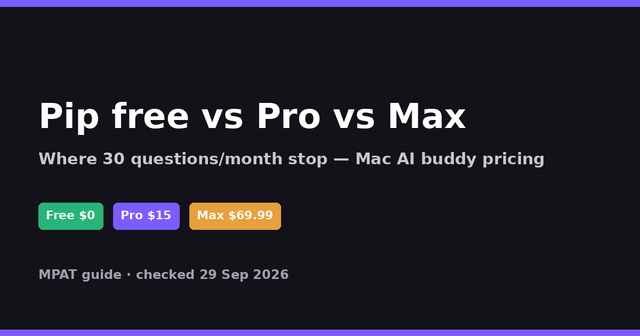
Pip is a Mac-only AI companion that sits next to your cursor, looks at your screen when you ask, and points at the exact control to click. It is built for people stuck in complex apps, terminals, and settings. Free covers 30 questions per month; Pro is $15/month (300 questions) and Max is $69.99/month (1,000), checked 29 September 2026 on Pip’s site.
This listing was compiled for MPAT from Pip’s public homepage, pricing FAQ, privacy policy, and terms on 29 September 2026. It is not a hands-on product review.
What it does
On the Pip homepage, the product is described as a glowing companion that lives beside your cursor on macOS 14.2 or later. You hold a hotkey and ask out loud (or type), and Pip answers in a short sentence while circling the UI control you need. There is no separate chat window to manage. The same page says Pip works in any Mac app—video editors, design tools, spreadsheets, browsers, System Settings, and the terminal—because it reads the screen rather than requiring a plug-in per app.
Pip’s FAQ on that homepage states it does not click for you when teaching. It points; you click. For multi-step tasks it can follow along click by click, circling the next control after each step. Separately, Pip can carry out small Mac actions when you ask—volume, dark mode, timers, window tiling, music, calendar lookups, reminders, and confirmed Messages—without treating those as “questions that click for you.” Anything that sends or deletes waits for on-screen confirmation, per the same FAQ and the Pip privacy policy.
Privacy wording is unusually specific for a screen-aware assistant. Pip’s privacy page (last updated 27 September 2026) says the product only looks while you hold the hotkey, after a double-press hands-free mode, or when you type a question. Screenshots are not stored by Pip’s server. When you ask a visual question, voice goes to AssemblyAI, a screenshot plus control names and your question go to OpenAI for the answer and pointer target, and spoken answers go through ElevenLabs. Multi-step “follow along” control finding is described as on-device only. Voice typing into Claude Code or Codex (a Pro perk on the homepage FAQ) sends voice to AssemblyAI and types on the Mac without a screenshot or OpenAI call.
Distribution is a direct Mac download (Pip.dmg) with Google sign-in via Firebase for accounts, Stripe for paid plans, and support at support@hipip.app. The terms note Pip is built on Clicky by Farza (MIT) and warn that answers and pointer targets can be wrong—check before destructive actions.
Who it is for / who should skip it
Pip fits Mac users who learn by doing: editors learning a new panel, developers who want plain-language terminal help, and anyone tired of describing their screen into a chat box. The founder note on the homepage frames the problem as “how you use it,” not model quality: help that lives where the work is.
Skip Pip if you are on Windows or Linux (macOS 14.2+ only). Skip it if you need an agent that drives the mouse and completes tasks unattended—Pip’s own FAQ says it points rather than clicks for teaching flows. Skip it if you cannot accept screenshots and short conversation context leaving the Mac to OpenAI when you ask visual questions; read the privacy policy first. Heavy daily users should budget past Free’s 30 questions/month quickly. Teams that need shared org admin, MDM packaging details, or SOC2 write-ups will not find those on the public marketing pages reviewed for this listing.
Plans and prices
Plan names, monthly question caps, and dollar prices below come from Pip’s homepage FAQ (“what does it cost, and can i cancel?”) and are reinforced in the terms (last updated 22 September 2026). There is no separate /pricing URL; the vendor lists plans under “pick your pip” and the FAQ on hipip.app. Limits reset on the first of each month (UTC) per the terms. Confirm in the Pip menu before you subscribe.
| Plan | Price | What you get (vendor-stated) | Where free / limits stop |
|---|---|---|---|
| Free | $0 | 30 questions per calendar month, forever, per homepage FAQ. | Stops at 30 questions/month. No Pro voice typing into Claude Code/Codex called out for Free. |
| Pro | $15/month | Up to 300 questions/month, plus voice typing in the terminal for Claude Code or Codex (homepage FAQ says that voice typing does not use question quota). | Caps at 300 questions/month. Switching plans prorates via Stripe per terms. |
| Max | $69.99/month | Up to 1,000 questions per calendar month. | Highest published self-serve tier; cancel or switch from the Pip menu anytime (keep access until period end after cancel). |
Billing is monthly until canceled. Payments go through Stripe; Pip’s privacy page says Pip never stores card details. Automated or abusive use may be limited per the terms. Annual pricing was not published on the pages checked 29 September 2026.
How it compares to tools on MPAT
Pip is a screen-aware Mac tutor and helper, not a launcher, notetaker, or coding-agent security layer. Closest live MPAT pages for contrast:
Raycast is listed on MPAT with a free plan plus paid upgrades. It is a Mac launcher and extension platform for shortcuts, search, and AI commands you invoke from a palette. Choose Raycast when you already know the action and want speed. Choose Pip when you do not know which menu hides the control and need something to circle it on screen.
Granola is listed on MPAT with a free plan plus paid upgrades. It focuses on meeting notes and AI summaries from conversations. Pip is not a meeting notetaker; its job is live UI guidance and small Mac actions. Pick Granola for calls; pick Pip for “where is that button?” while you work.
Fathom is listed on MPAT with a free plan plus paid upgrades and is centered on recording and summarizing meetings. Like Granola, it solves a different job than Pip’s cursor-side companion model. Use Fathom for call memory; use Pip for hands-on Mac coaching.
Morning’s VibeDefend listing on MPAT covers security guardrails inside AI coding agents. That is complementary, not competitive: VibeDefend constrains what agents write; Pip helps humans operate the Mac UI (and can voice-type into Claude Code/Codex on Pro).
FAQ
What is Pip used for?
Pip is a Mac AI buddy that answers short spoken or typed questions while pointing at the control you need in whatever app is open. The homepage highlights learning pro apps, terminal help, and finding buttons without hunting menus.
Is Pip free?
Yes. Free includes 30 questions per calendar month forever, per the homepage FAQ and terms. Paid Pro and Max raise the monthly cap.
How much does Pip cost?
Checked 29 September 2026: Free $0 (30 questions/month), Pro $15/month (300 questions + terminal voice typing for Claude Code/Codex), Max $69.99/month (1,000 questions), per Pip’s pricing FAQ and terms.
Does Pip click things for me?
For teaching flows, no—Pip points and you click, per the homepage FAQ. Pip can still run confirmed Mac actions you request (volume, timers, messages after confirm, and similar). It does not move the mouse on its own, per the privacy policy.
Is Pip watching my screen all the time?
No. The homepage FAQ and privacy page say Pip only looks when you hold the hotkey, after double-press hands-free listening, or when you type a question. Screenshots are not stored by Pip’s server.
Who should use Pip?
Mac users on macOS 14.2+ who want screen-aware help without describing the UI into a chat. Skip Windows/Linux users, people who need unattended click automation, or buyers who cannot accept OpenAI processing screenshots on visual questions.
How does Pip handle privacy and data?
Read Pip’s privacy policy. Visual questions send voice to AssemblyAI, screenshot/context to OpenAI, and answer text to ElevenLabs for speech. Everyday Mac actions often stay local. Account, plan, and monthly usage counts are kept for limits; conversation memory is cleared when Pip quits.
Can I cancel anytime?
Yes. Homepage FAQ and terms say you upgrade, switch, or cancel from the Pip menu. After cancel you keep the paid plan until the end of the period you paid for. Switching prorates the difference immediately per terms.
Pros, in short: clear Free/Pro/Max USD prices; screen pointing instead of chat-only help; detailed public privacy write-up; works across apps without per-app plugins; Pro terminal voice typing. Cons: Mac-only; Free’s 30 questions/month is easy to exhaust; teaching mode does not click for you; visual asks send screenshots to OpenAI; no annual prices on the pages checked. Always re-check vendor pages before purchase.