Compiled by Amit Kumar
NiroHelp is an AI-native WordPress help desk that combines a knowledge base, ticketing, and answers drawn from your own docs. Free forever for docs and tickets on WordPress.org; paid plans (from $9.99/month) turn on the AI chatbot, auto-responder, and email piping. Built for WordPress plugin shops, agencies, and SaaS sites that already live in wp-admin.
This page is a compiled listing from NiroHelp’s own site and pricing, checked on 2026-09-28. It is not a hands-on product review. NiroHelp launched on the MPAT board as an evening slot listing for editors researching WordPress support tools.
What NiroHelp does
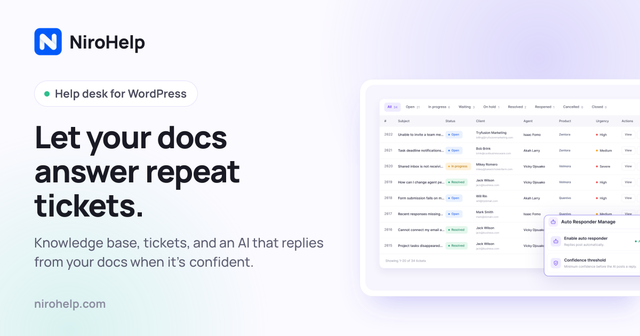
NiroHelp installs as a WordPress plugin and puts three pieces in one admin menu: a searchable knowledge base, a ticket queue with eight stages, and optional AI that replies from the articles you published. The vendor’s pitch is specific: the AI answers when your docs clear a confidence threshold you set, and leaves the ticket for a human when they do not.
On the free plugin (listed on WordPress.org) you get the knowledge base with topics, search, and helpful/not-helpful voting; ticketing with automatic assignment and custom fields; a support dashboard; imports from seven other plugins; and unlimited agents and tickets. No account or card is required for that free layer.
Paid NiroHelp Cloud plans add the AI layer and mailbox features: an on-site chatbot that reads your help articles, an auto-responder for tickets, the Ask NiroHelp copilot on the dashboard, and email piping with multiple shared inboxes. You do not paste your own OpenAI or Anthropic key—the paid plan includes the AI service and a site key the vendor emails you.
Billing is per site, not per agent. Starter covers one site with 1,000 AI credits per month. Growth covers five sites with 6,000 credits. Agency covers ten sites with 15,000 credits and per-client chatbot branding plus voice-call support. One credit equals one AI answer (chatbot reply, auto-responder reply, or copilot question), regardless of length. When credits run out, the AI pauses until the monthly reset; docs, tickets, and human replies keep working.
Who it is for / who should skip it
Good fit if: you run support on WordPress (plugin business, WooCommerce store, agency client sites, or a docs-heavy SaaS marketing site), you want unlimited agents without seat fees, and you already write help articles you want the AI to use as source of truth.
Skip it if: your stack is not WordPress; you need a full ITSM suite with asset management and Slack/Teams agents as the primary UI (look at enterprise ITSM tools instead); you refuse any cloud AI component and will not buy a paid plan (the free plugin still gives KB + tickets, but not the AI); or you need phone/IVR agents rather than site chat and ticket replies.
Plans and prices
| Plan | Price (USD) | What you get | Where the free tier / credits stop |
|---|---|---|---|
| Free | $0 forever | Knowledge base, ticketing (8 stages), dashboard, import from 7 plugins, unlimited agents/tickets/articles. No account required. | No AI chatbot, no ticket auto-responder, no Ask NiroHelp copilot, no email piping. |
| Starter | $9.99/month, or $79.99/year (early-bird yearly shown as 20% off vs $99.99/year until 30 Sep 2026) | Everything in Free, plus AI auto-responder, AI chatbot, email piping, Ask NiroHelp copilot, 1 site, 1,000 AI credits/month, priority email support. | AI pauses when the 1,000 monthly credits are used; human tickets and KB continue. |
| Growth | $29.99/month, or $239.99/year (early-bird vs $299.99/year until 30 Sep 2026) | Everything in Starter across 5 sites, 6,000 AI credits/month. | Same credit pause behavior; five-site license ceiling. |
| Agency | $49.99/month, or $399.99/year (early-bird vs $499.99/year until 30 Sep 2026) | Everything in Growth across 10 sites, 15,000 AI credits/month, chatbot branded per client, voice-call support. | Same credit pause behavior; ten-site license ceiling. |
USD, checked 2026-09-28, from https://nirohelp.com/pricing/ and the homepage plan cards. Yearly billing is described by the vendor as ten months’ price plus an early-bird 20% off until 30 Sep 2026. Lifetime licences are sold separately on a lifetime page; this table covers the subscription plans only. 30-day money-back on paid plans.
How it compares to tools already on MPAT
MPAT does not currently list another WordPress-native AI help desk, so the closest live comparisons are automation and customer-facing tools rather than drop-in replacements.
- n8n — workflow automation with a free self-hosted Community Edition and Cloud plans billed from a Starter tier (vendor pricing on the MPAT page notes Cloud free trial and paid Starter in EUR). Use n8n when you want to wire AI agents across many SaaS APIs; use NiroHelp when support must live inside WordPress with docs as the answer source.
- Tines — security-oriented workflow automation with a Free edition ($0, limited live workflows) and paid editions via sales. Stronger for SecOps-style automation than for a public WordPress knowledge base and ticket UI.
- Supademo — interactive product demos (Free $0/month with tight demo limits; Scale from $50/creator/month). Complements onboarding and sales explainers; it does not replace a ticket queue or AI answers from help articles.
For more products in the same job family, browse productivity tools on MPAT and the homepage launch board.
Billing details worth checking before you pay
Seat-based help desks raise the bill every time you add a support hire. NiroHelp’s paid tiers are priced by how many WordPress sites sit on the licence. Adding agents does not change the invoice. That matters for plugin companies where founders, contractors, and community moderators all touch the queue.
Credits are shared across every site on the licence and renew on the first of the month. A long chatbot answer costs the same as a short one. If you expect seasonal spikes (a product launch week, a WooCommerce sale), check whether 1,000 Starter answers will cover the spike or whether Growth’s 6,000 is the safer floor. The vendor’s comparison table on the pricing page also stacks NiroHelp Starter against Intercom, Zendesk, HubSpot, Help Scout, and an all-WordPress plugin stack—use those as orientation, then re-check each competitor’s own site before you make a buy decision.
Privacy posture, as stated by the vendor: knowledge base, tickets, emails, and migration stay on your WordPress database when AI is off. AI is an opt-in paid connection. Canceling a paid plan turns AI off and falls back to the free plugin; articles and tickets remain as ordinary WordPress posts and comments.
Is NiroHelp free?
Yes for the core help desk. The WordPress.org plugin includes the knowledge base, ticketing, dashboard, and importers at $0 with unlimited agents and tickets. AI features and email piping require a paid Starter, Growth, or Agency plan.
How much does NiroHelp cost?
Checked 2026-09-28 on the vendor pricing page: Starter is $9.99/month or $79.99/year; Growth is $29.99/month or $239.99/year; Agency is $49.99/month or $399.99/year. Prices are per site licence tier, not per agent. Early-bird yearly discounts were advertised through 30 Sep 2026.
What is NiroHelp used for?
WordPress site owners use it to publish help docs, collect support tickets, and optionally let AI answer repeat questions from those docs via chat or auto-reply—while escalating low-confidence cases to humans.
Does NiroHelp need my own OpenAI key?
No. On paid plans the vendor includes the AI service; you register the site and use the key they email. There is no separate model subscription to manage, per the pricing FAQ.
What happens when AI credits run out?
The AI pauses until credits reset on the 1st of the month. Tickets, knowledge base, and human replies continue. The dashboard usage panel shows remaining answers and the renewal date.
Sources
- https://nirohelp.com/ — product homepage (checked 2026-09-28)
- https://nirohelp.com/pricing/ — plans, credits, yearly early-bird notes
- https://nirohelp.com/faq/ — free plan, credits, refunds
- https://wordpress.org/plugins/nirohelp/ — free plugin listing