
 Reviewed by Amit Kumar
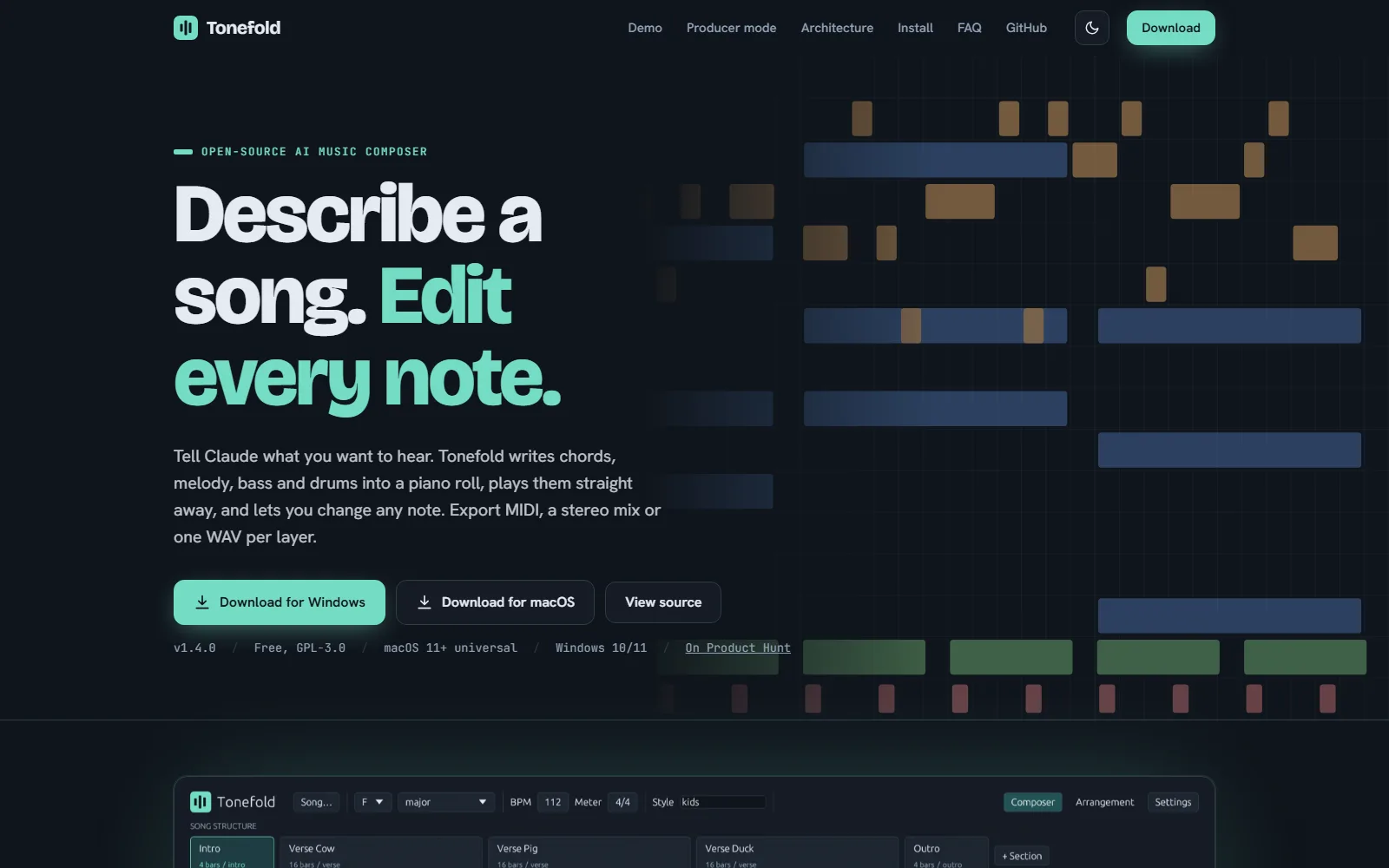
Tonefold is a free, open-source desktop app for macOS and Windows that turns a plain-language description of a song into chords, melody, bass and drums you can edit note by note, then exports MIDI and WAV. The app costs $0. Its chat composer runs on your own Claude Code login or on a free Ollama model, so the only money involved is whatever your own Claude plan charges.
Fact-checked reviewAudio

Tonefold Review: Free Open-Source AI MIDI Composer
Free open-source AI composer that exports editable MIDI
Quick verdict
The model here is the opposite of a subscription. There is no plan, no account and no paid tier, and Tonefold writes instrumental notes you own, not a locked audio file. The catch is that the AI chat will not work until you have set up Node.js plus either a signed-in Claude Code or an Ollama server, and the vendor publishes no estimate of what a song costs on Claude. It is also a very new project from one GitHub account, with no privacy policy or terms. Version 1.4.0 came out on 7 October 2026.
Best forSketching song arrangementsFL Studio composing pluginLocal Ollama music writing
How we reviewed Tonefold
We read the vendor's site, FAQ, GitHub README, usage guide, changelog, release notes, security policy and licence on 8 October 2026.
Every Tonefold plan, price and limit in this review comes from Tonefold's own pages, checked on , and links to the page it came from. A review cannot be bought. How these reviews are written
On this page
Tonefold at a glance
Tonefold is an AI music composer for songwriters and producers who want editable parts, not a finished audio file. You describe a mood, a key or a change in a chat panel, and the app writes notes into eleven kinds of layers, from chords and melody to bass, pads, arpeggios and drums. A built-in General MIDI synth plays the result at once. Generation, playback, editing and export run on your own computer, and an optional CLAP/VST3 plugin puts the same composer inside a DAW, with FL Studio as the host the maker says is tested.
What is Tonefold used for?
It is used to sketch and build an arrangement as MIDI. You can start from nothing, or write a melody and ask it to fit chords underneath. Each part lives on its own layer and section, so you can lock the chords you like and ask for a new bass line without losing the rest.
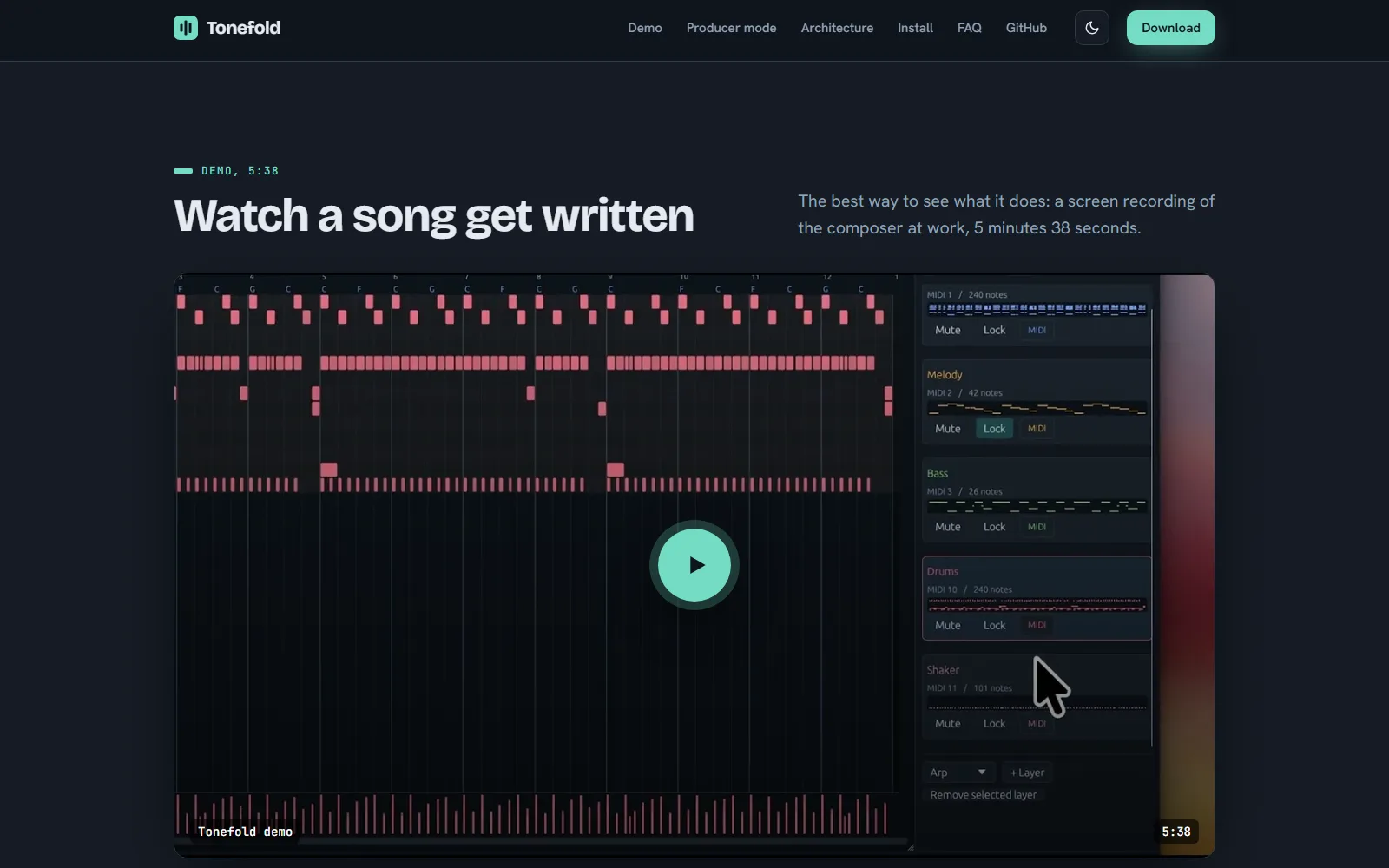
It does not produce a mastered song with vocals. You get notes, played through general-purpose sounds, to refine by hand or take into your own production setup. These features are listed on the vendor site and in the project's README on GitHub, read on 8 October 2026.
The editing tools
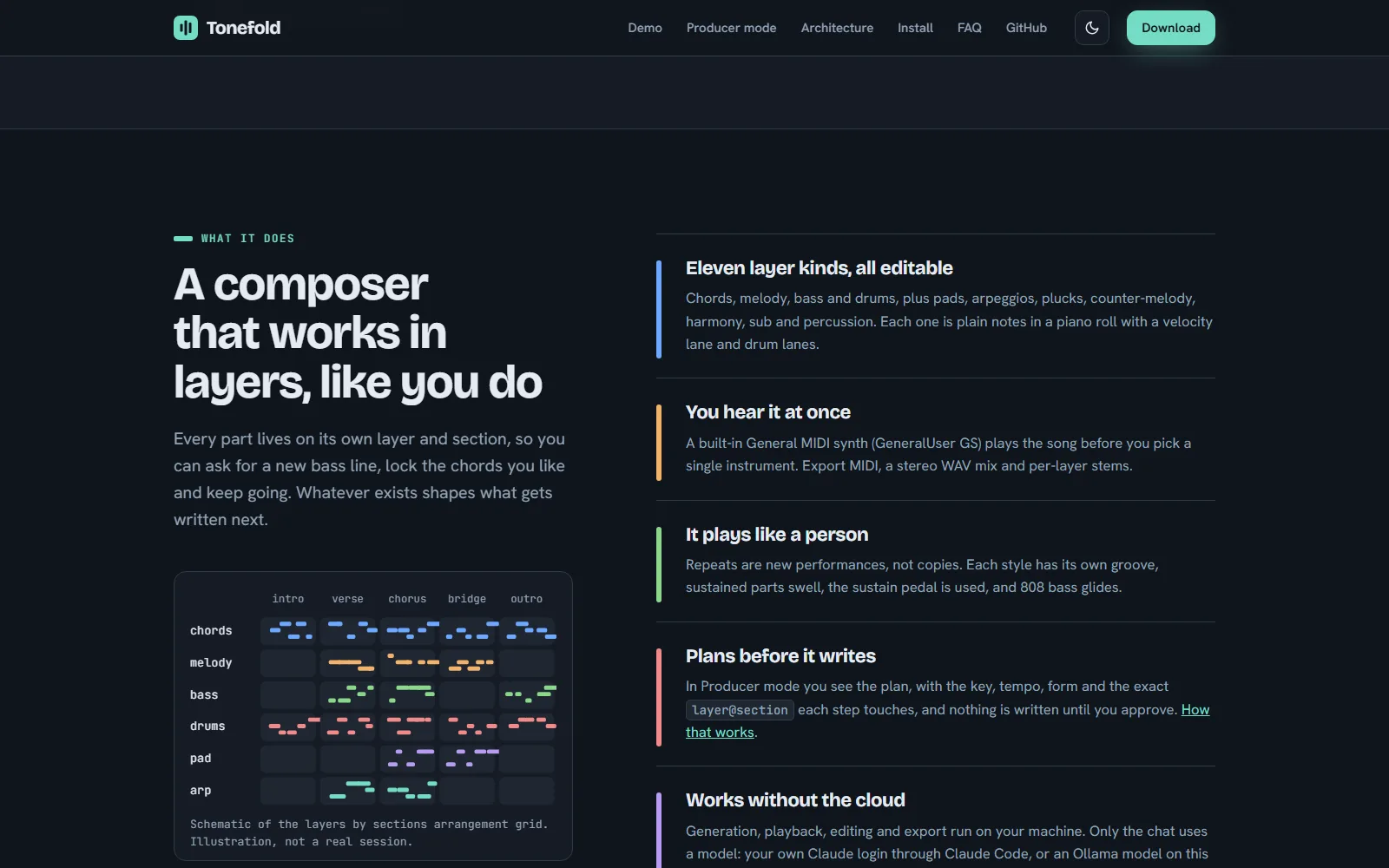
- Eleven layer kinds: chords, melody, bass, drums, pads, arpeggios, plucks, counter-melody, harmony, sub and percussion.
- Song sections with a role (intro, verse, chorus, bridge, outro) and a length in bars.
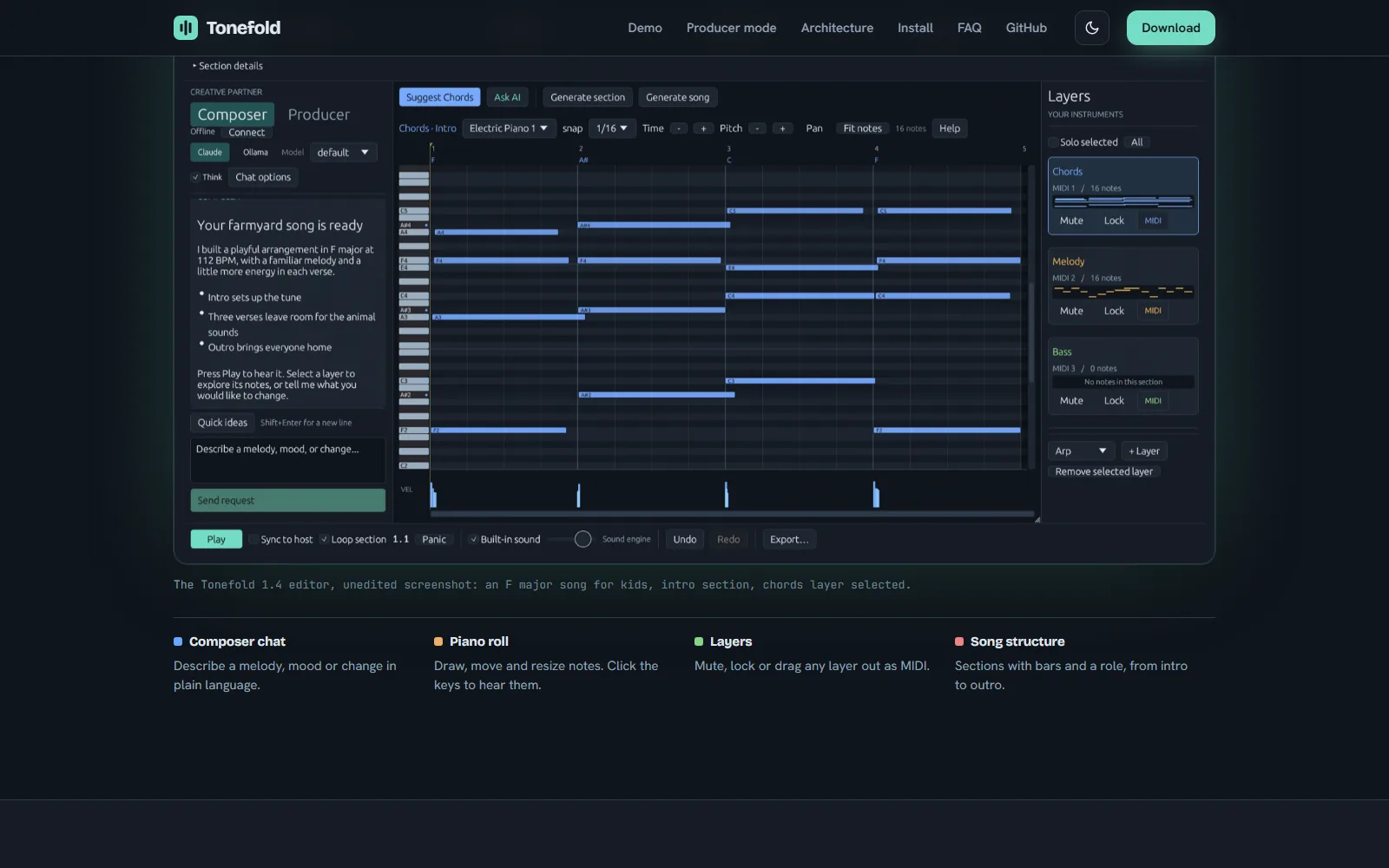
- A full piano roll: draw, move and resize notes, a velocity lane, drum lanes, a scrubbable playhead and playable keys. The composer sees your manual edits on its next turn.
- A built-in General MIDI synth, using the GeneralUser GS soundfont by S. Christian Collins, so you hear the song before choosing instruments.
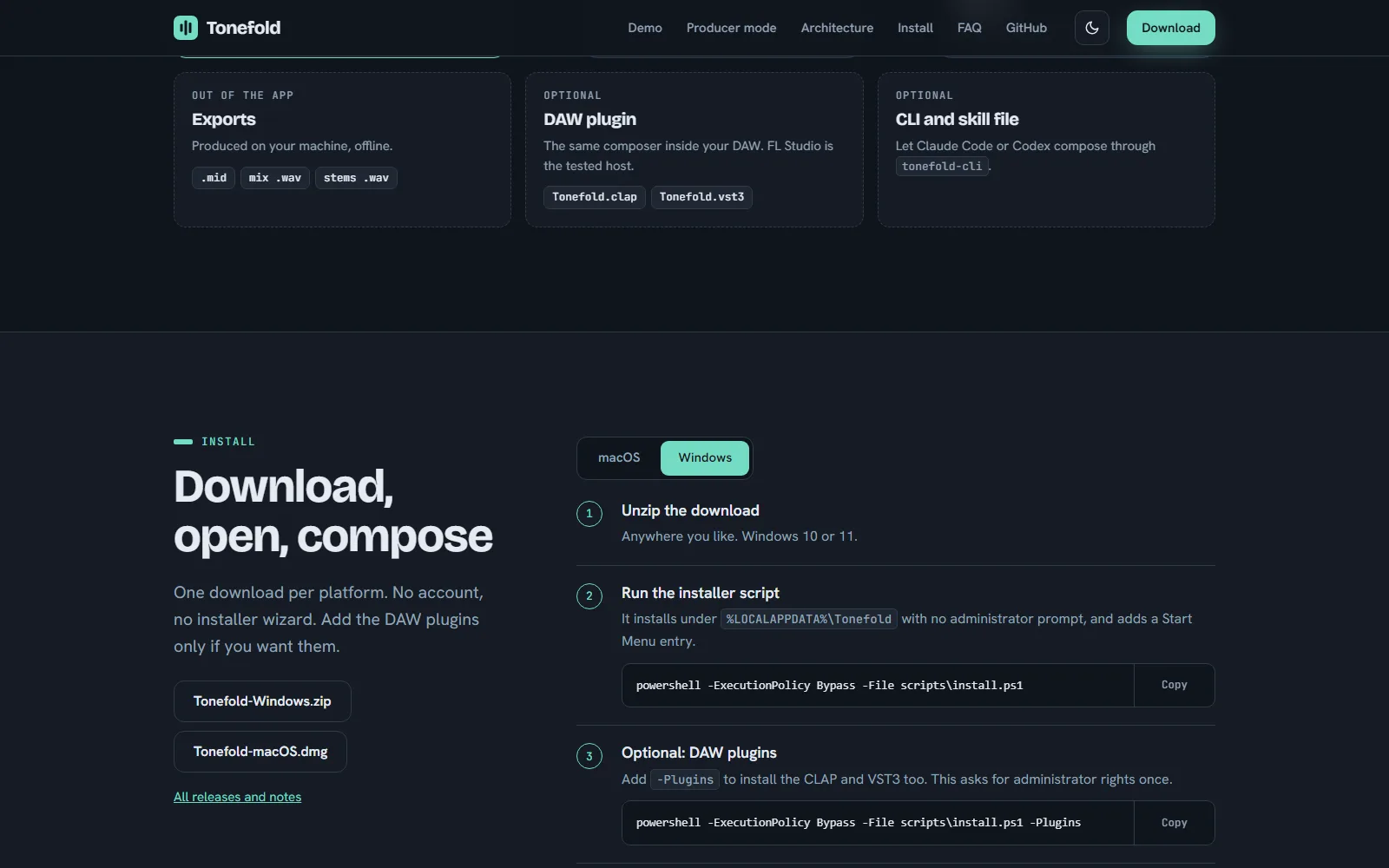
- Export as MIDI, a stereo WAV mix, or one WAV stem per layer. You can also mute, lock or drag any layer out as MIDI.
- Humanised playback. The project's changelog describes repeats that are re-performed rather than copied, six groove templates chosen by style, sustain pedal at chord changes and pitch-bend glides on 808 bass.
- An optional CLAP and VST3 plugin, plus a command-line tool and a skill file so Claude Code or Codex can compose through the CLI.
Composer and Producer modes
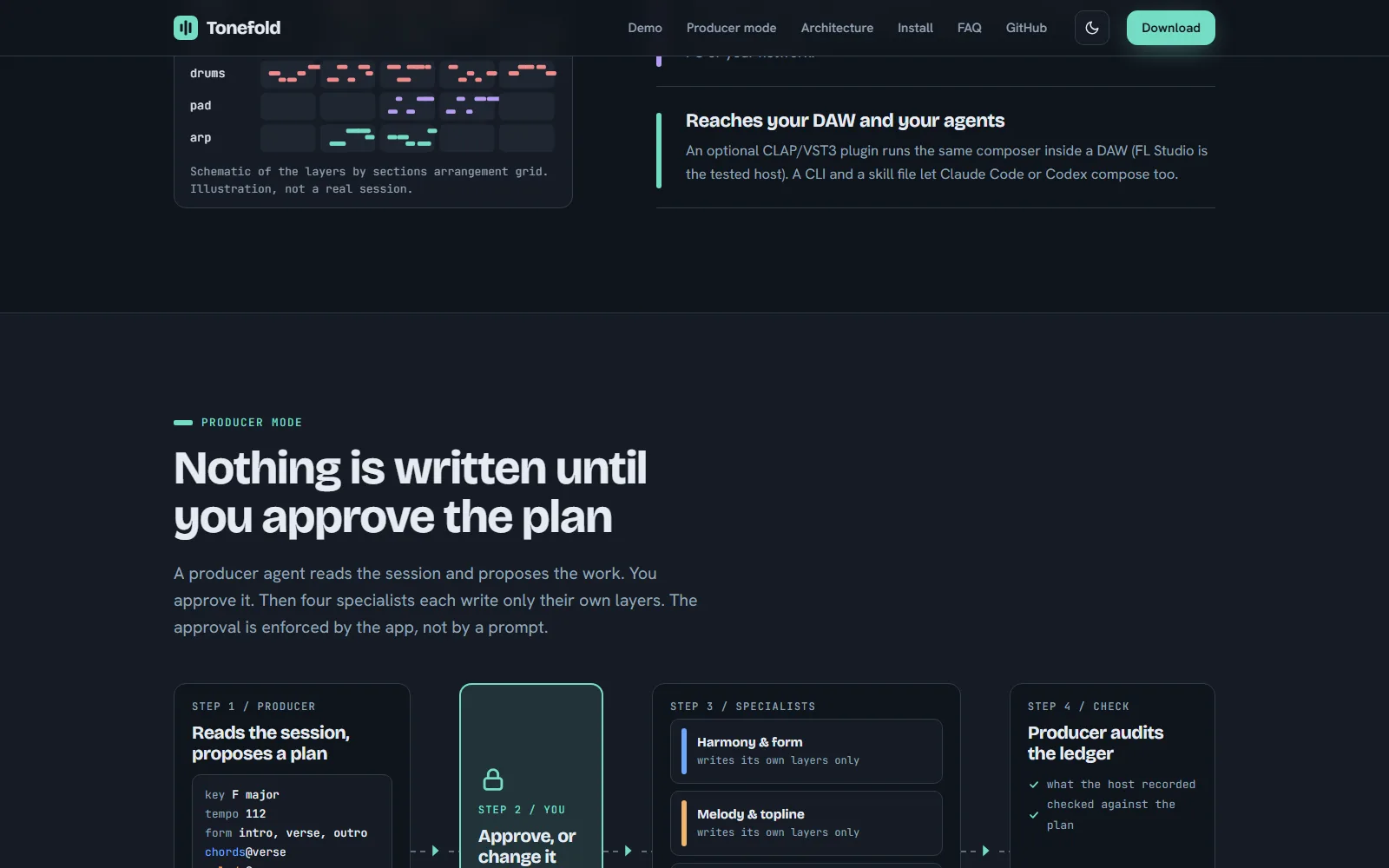
There are two chat modes. Composer mode makes quick one-off changes. Producer mode first proposes a plan with key, tempo, form and the exact layer and section each step will touch, and it is the most unusual part. The Producer mode section of the site explains that a producer agent reads the session and proposes the work, and nothing is written until you approve. The app enforces that approval itself, rather than asking the model nicely in a prompt.
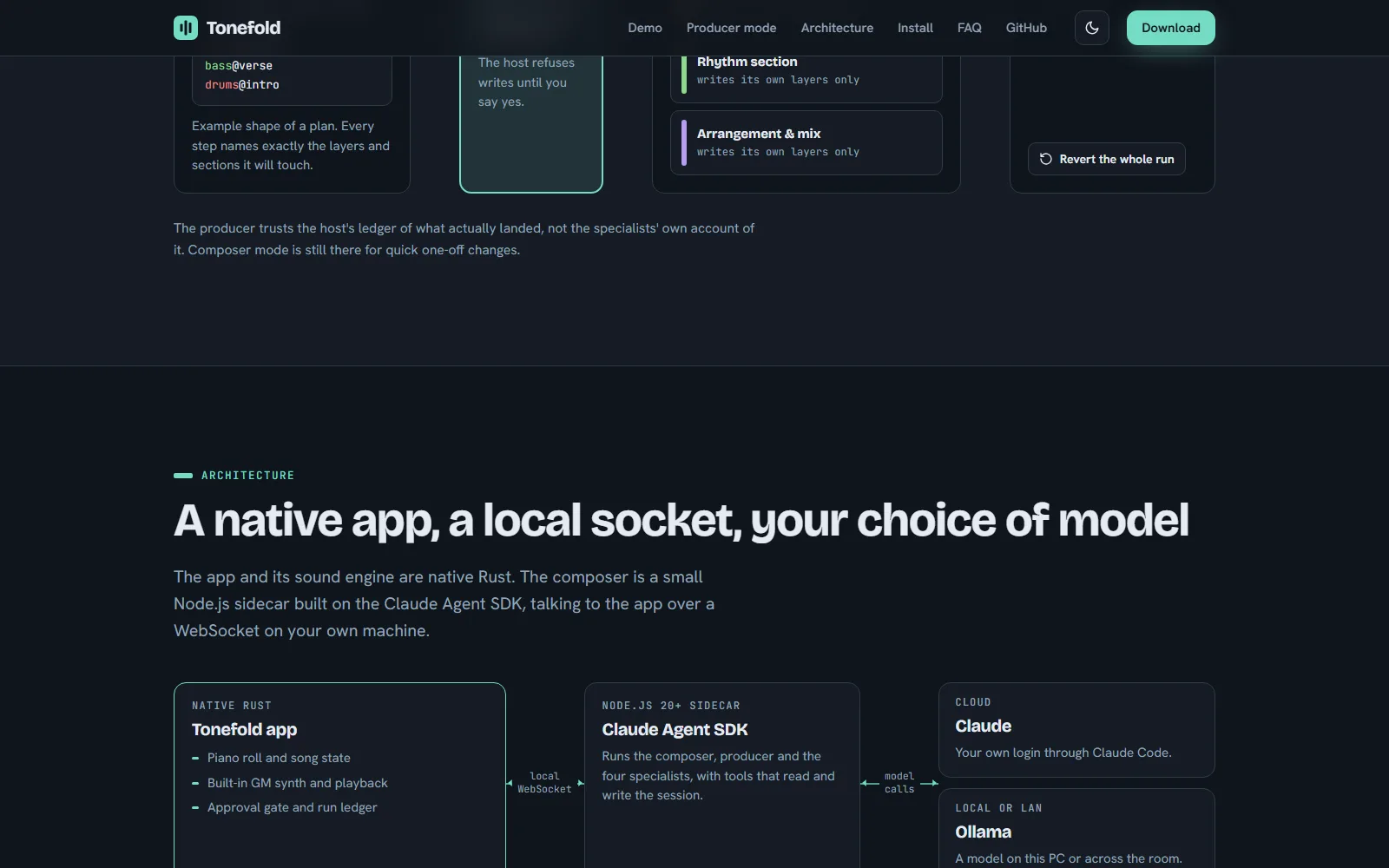
After you approve, four specialists each write only their own layers: harmony and form, melody and topline, rhythm section, and arrangement and mix. The producer then checks the app's own ledger of what actually changed against the plan. A single button reverts the whole run.
How it runs on your computer
The architecture notes describe a native Rust app with its own sound engine. The composer is a small Node.js sidecar built on Anthropic's Claude Agent SDK, and it talks to the app over a WebSocket on your own machine.
Only the chat needs a language model. You choose between your own Claude login through Claude Code, or an Ollama server on the same PC or elsewhere on your network. The usage guide adds that the chat header has a model picker (default, sonnet or opus) and a Claude/Ollama switch. On Ollama it asks for a model with tool calling, and warns that a model too big for your GPU can take minutes per turn.
The install instructions list one universal macOS build for Apple Silicon and Intel (macOS 11 or later) and a Windows 10/11 zip that installs without an administrator prompt. The DAW plugins need one administrator prompt on Windows.
Who Tonefold is for, and who should skip it
It suits:
- Songwriters and beatmakers who want a starting arrangement they can edit note by note.
- FL Studio users who want the composer inside the DAW as a plugin.
- People who already pay for Claude and use Claude Code, since the chat composer runs on that login.
- Privacy-minded users who can run a local Ollama model and keep everything on their own network.
Skip it if:
- You want a finished, sung track from a text prompt. Tonefold writes instrumental parts as notes, not mastered audio, and no vocal or lyric layer appears among the eleven layer kinds.
- You are not comfortable installing Node.js, signing in to Claude Code or running an Ollama server. Without one of them, the AI chat does not work.
- You need Logic Pro or GarageBand support today. An Audio Unit plugin is on the roadmap, and only FL Studio is named as a tested host. You do not need a DAW at all to use the standalone app.
- Your organisation blocks apps that are not notarized by Apple. The macOS build is not notarized yet.
How much does Tonefold cost?
Nothing, for the app. The table is from the “What does it cost?” answer in Tonefold's FAQ, since the vendor has no separate pricing page.
USD, checked 8 October 2026, from the Tonefold FAQ (tonefold.vkfolio.com/#faq)
| Plan | Price | What you get | Free-tier stop |
|---|---|---|---|
| Tonefold app (GPL-3.0) | $0 | Standalone app for macOS and Windows: piano roll, eleven layer kinds, built-in synth, MIDI and WAV export | None. There is no paid tier and no account |
| CLAP/VST3 plugin and CLI | $0 | The same composer inside a DAW, plus command-line composing | None |
| Chat composer on Claude | No Tonefold fee | Composer and Producer modes using your own Claude Code login | Usage is billed through your own Anthropic account; the app shows the cost of each turn and does not cap spend |
| Chat composer on Ollama | $0 | The same chat on a local or network Ollama model | Limited by your own hardware; no cost is shown because nothing leaves your network |
Tonefold does not publish what a typical song costs on Claude. The 1.2.0 notes in the changelog say cost per turn and per session is shown in the panel and nothing is capped, so the model you pick controls spend. That makes Ollama the only way to be sure of a zero bill.
Is Tonefold free?
Yes. The app, the DAW plugins and the source code are free under GPL-3.0-or-later. You only pay if you use Claude for the chat composer, and that money goes to Anthropic under your own account, not to Tonefold.
Privacy, data and licence
There is no Tonefold account. The README says songs, exports and logs live in ~/Library/Application Support/Tonefold on a Mac, and the app installs under %LOCALAPPDATA%\Tonefold on Windows. The site says generation, playback, editing and export run on your machine. Using Claude needs an internet connection; an Ollama model on your PC or local network does not.
When you use Claude, your chat messages and the song context go to Anthropic through your own Claude Code login, under your agreement with Anthropic. With Ollama, they stay on your PC or local network.
The vendor publishes no privacy policy or terms of service. For a local app with no account that is reasonable, but the GPL-3.0 licence file is the only legal text. The FAQ states that the GPL covers the code, not the music, so you own what you make. The project's security policy asks for private reports through GitHub, promises a reply within a week, and patches only the latest release.
Origins and the maker
Tonefold was called FLVSTX before version 1.4.0. The changelog shows a 1.0.0 release on 9 September 2026 as an FL Studio composer. The v1.4.0 release notes, published on 7 October 2026, rename it, make it a standalone app first and add macOS. It then appeared on Product Hunt on 8 October 2026.
The maker publishes as VKFolio on GitHub, with Bangalore as the profile location. No company or individual name appears on the site. The footer says Tonefold is an independent project, not affiliated with or endorsed by Anthropic or Image-Line, the maker of FL Studio.
How Tonefold compares with other tools reviewed here
Tonefold vs Suno. Suno takes the opposite approach: it turns a text prompt into a finished song with lyrics, vocals and instrumentation, and our Suno review lists a free plan with 50 daily credits and Pro at $8 a month. Choose Suno when you need a complete track. Choose Tonefold when you want every part as editable notes and a MIDI file for your own production.
Tonefold vs Descript. Descript works on recordings you already have, editing audio by editing its transcript, with handoff to tools like Pro Tools and Logic. Tonefold works before any recording exists, at the composition stage.
For other music and sound tools, see the audio category.
Tonefold screenshots
More of Tonefold's own website, captured . Each caption says which page it shows.
Sources
All pages were read on 8 October 2026. Product details come from the Tonefold home page, its FAQ on cost, offline use and music ownership, the architecture section and the install guide. Technical and release details come from the GitHub README, the usage reference, the changelog from 1.0.0 to 1.4.0, the v1.4.0 release page, the security policy and the GPL-3.0 licence. The release date on Product Hunt comes from Tonefold's Product Hunt page.
Tonefold pros and cons
Pros
- The app, DAW plugins and source code are free under GPL-3.0, with no account or paid tier
- Output is editable MIDI per layer, not a locked audio file, so you can rework any note
- Producer mode shows the plan and the exact layers it will touch before writing anything
- Can run fully on your own network with an Ollama model, with no model bill
- The app shows the Claude cost of each chat turn and session
- The FAQ says you own the music; the GPL covers only the code
Cons
- The AI chat needs Node.js plus a signed-in Claude Code (your own Anthropic plan) or an Ollama server
- No published estimate of what a typical song costs on Claude, and spend is not capped
- The macOS build is not notarized by Apple yet, so you must approve it in Privacy & Security
- FL Studio is the only host the maker names, and there is no Audio Unit plugin for Logic yet
- Instrumental parts only: no lyric or vocal layer, and sounds come from a general-purpose soundfont
- Very new open-source project by one GitHub account (VKFolio), with no named company, terms or privacy policy
The bottom line on Tonefold
Best for
- Sketching song arrangements
- FL Studio composing plugin
- Local Ollama music writing
Facts checked
Visit TonefoldTonefold FAQ
Is Tonefold free?
Yes. The Tonefold app, its CLAP/VST3 plugin and its source code are free under GPL-3.0-or-later, with no account and no paid plan. You only pay if you use Claude for the chat composer, and Anthropic bills that to your own account (vendor FAQ, checked 8 October 2026).
How much does Tonefold cost to use with Claude?
Tonefold charges nothing. The chat composer uses your own Claude plan through Claude Code, and the app shows the cost of each turn and of the session. The vendor does not publish a typical cost per song, and spend is not capped, so the model you pick controls it.
What is Tonefold used for?
Writing and editing an instrumental arrangement as MIDI. You describe a song or a change in plain language, Tonefold writes chords, melody, bass, drums and other layers into a piano roll, and you edit the notes and export MIDI, a WAV mix or per-layer stems.
Does Tonefold work offline?
Generation, playback, editing and export run on your own computer. Only the chat composer needs a model, and that can be an Ollama model on your PC or local network, so nothing has to leave your network. Using Claude needs an internet connection.
Do I need a DAW to use Tonefold?
No. Tonefold is a standalone app for macOS 11+ and Windows 10/11 with its own piano roll, synth and export. An optional CLAP/VST3 plugin runs the same composer inside a DAW; FL Studio is the only host the maker says is tested.
Who owns the music I make with Tonefold?
You do, according to the vendor FAQ. The GPL-3.0 licence covers Tonefold's code, not the songs you make with it. The built-in sounds come from the GeneralUser GS soundfont by S. Christian Collins.
How is Tonefold different from Suno?
Suno generates a finished song with lyrics, vocals and instruments from a prompt. Tonefold writes instrumental parts as editable MIDI notes on separate layers, which you refine yourself or take into a DAW. Tonefold has no vocal or lyric layer.
Alternatives to Tonefold
 DescriptFree plan + paid upgradesEdit video and podcasts by editing the transcript
 OnepinFree plan + paid upgradesAI voiceover pipeline that routes, checks and fixes TTS
 SunoFree plan + paid upgradesText-to-song generator with a daily free credit allowance
 VapiPaid onlyDeveloper platform for building voice agents that take calls
 VideorcFree plan + paid upgradesOpen-source recording and multistream studio with AI tools

Reviewed by
Amit Kumar
Full Stack AI Strategist
Amit Kumar runs MPAT, where he reviews AI tools and writes its guides. When he covers a tool he checks its pricing, credits and plan limits against the vendor's own pages, so readers know what a plan includes before they pay. He also leads the site's SEO and AI-focused content strategy.