 Compiled by Amit Kumar
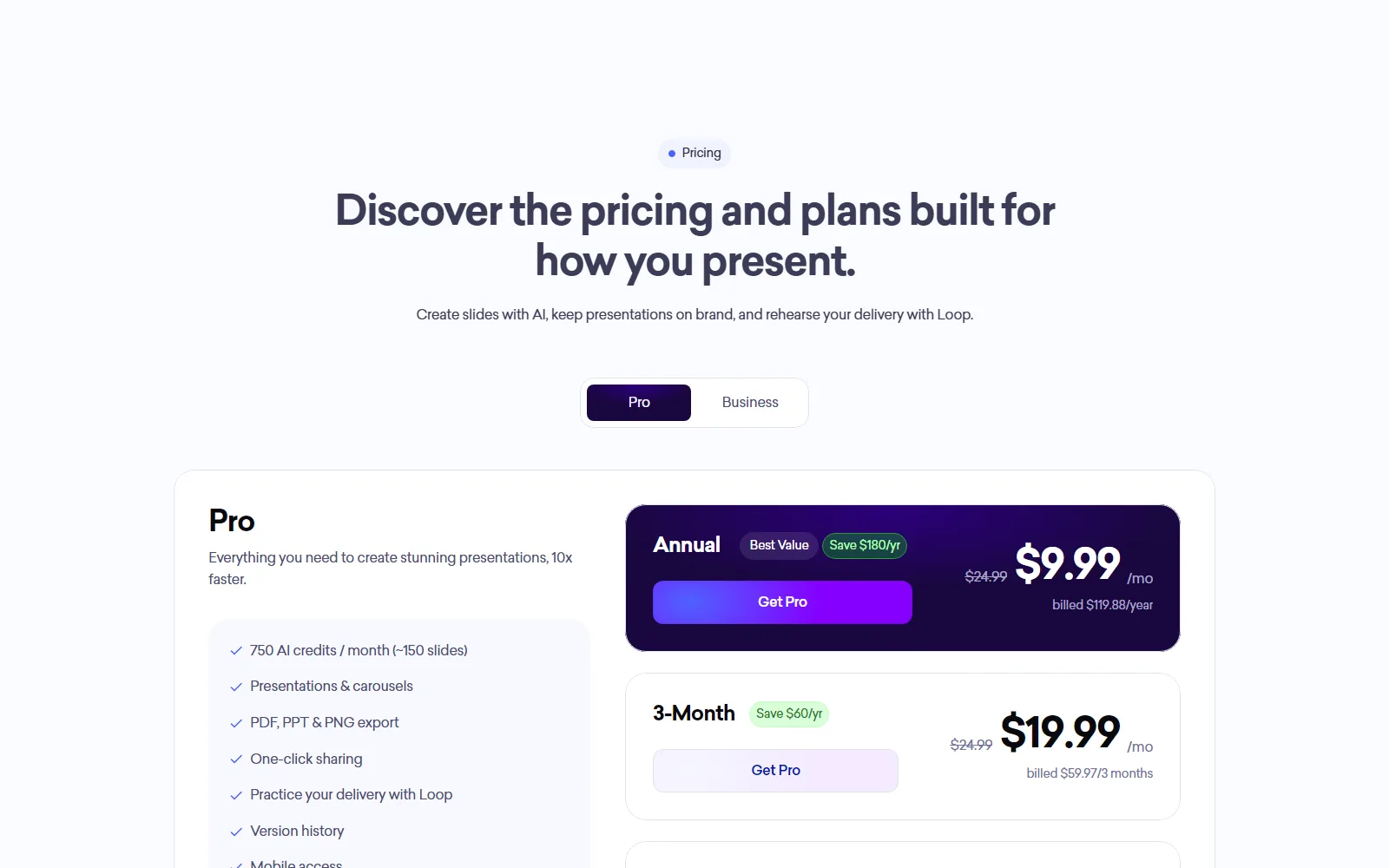
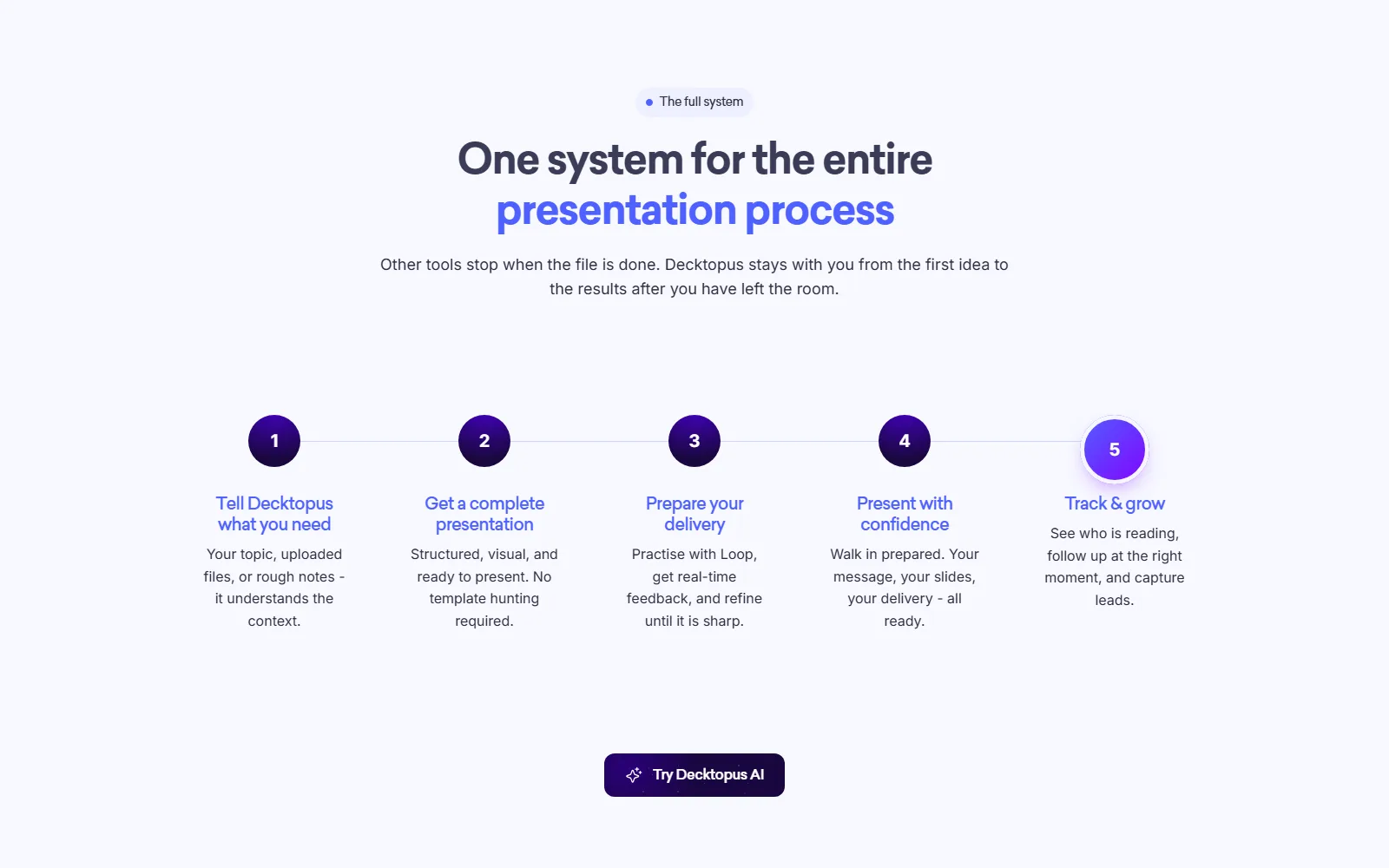
Decktopus AI is a presentation maker: you describe a topic, and it produces a full deck with structure, copy and design, then lets you edit, share and practise delivering it. It is aimed at people who need slides quickly, from founders to teachers, and also makes LinkedIn and Instagram carousels. Pro costs $9.99 a month billed annually ($119.88 a year), $19.99 a month on a 3-month plan, or $24.99 month to month, with 750 AI credits a month. There is no free plan.
We read Decktopus's pricing page, homepage, Terms, Privacy Policy and About page on 13 October 2026. Our read: the annual price is the one to judge it on, since monthly billing costs two and a half times as much. The catch is that the pricing page says you can "cancel anytime" while the Terms say refunds are not available for monthly or annual subscriptions, so a mistaken annual purchase is not recoverable on paper. The credit maths on the pricing page also does not add up, which matters because credits are the real limit.
Decktopus AI at a glance
| Question | Short answer |
|---|---|
| Plans | Pro (annual, 3-month, monthly), Business, Enterprise |
| Entry price | $9.99 a month billed annually; $24.99 monthly |
| Free plan | None listed on the pricing page |
| Credits | 750 a month on Pro, 1,000 per seat on Business |
| Refunds | Not available, per the Terms |
| Read | decktopus.com, 13 October 2026 |
What is Decktopus AI used for?
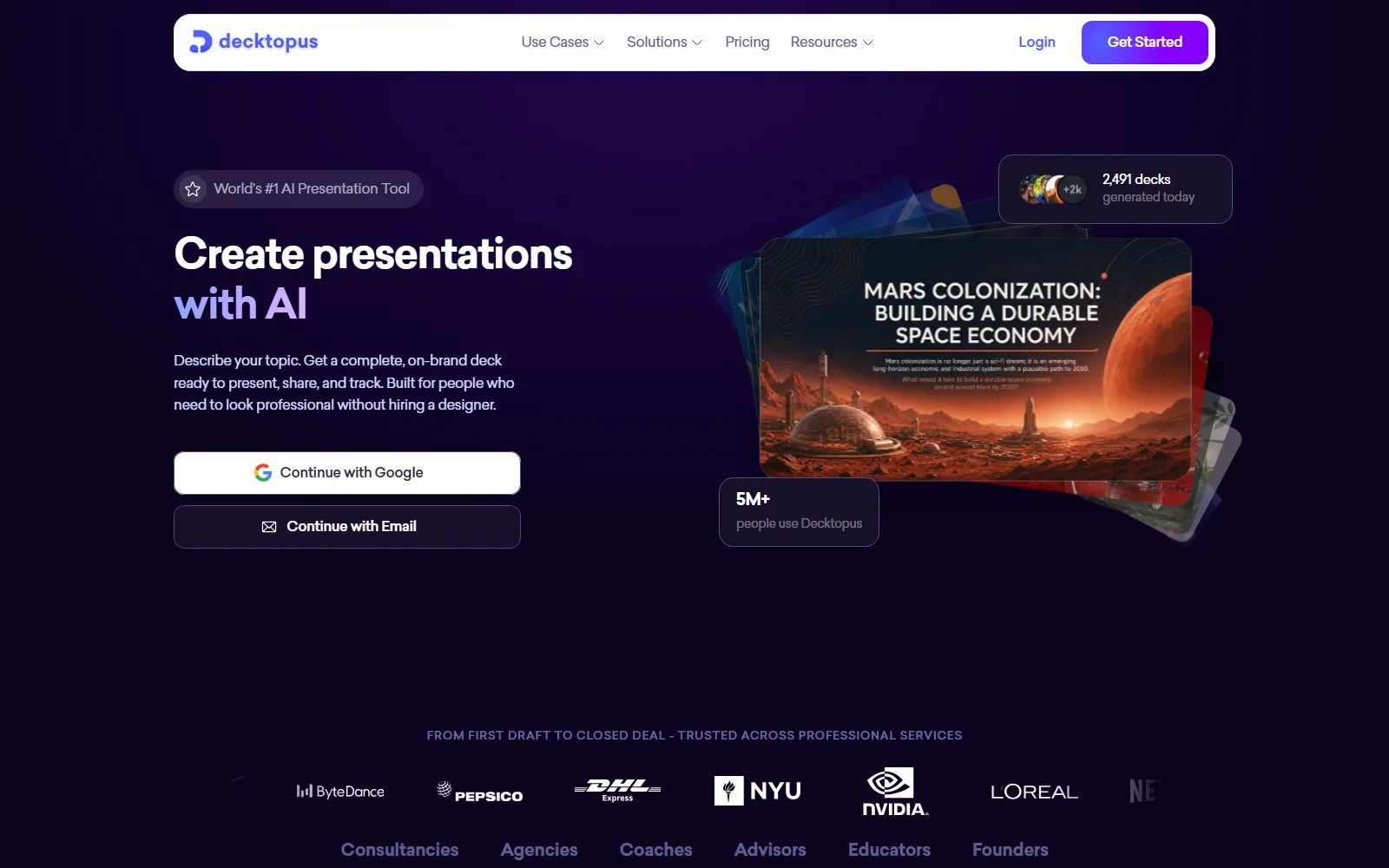
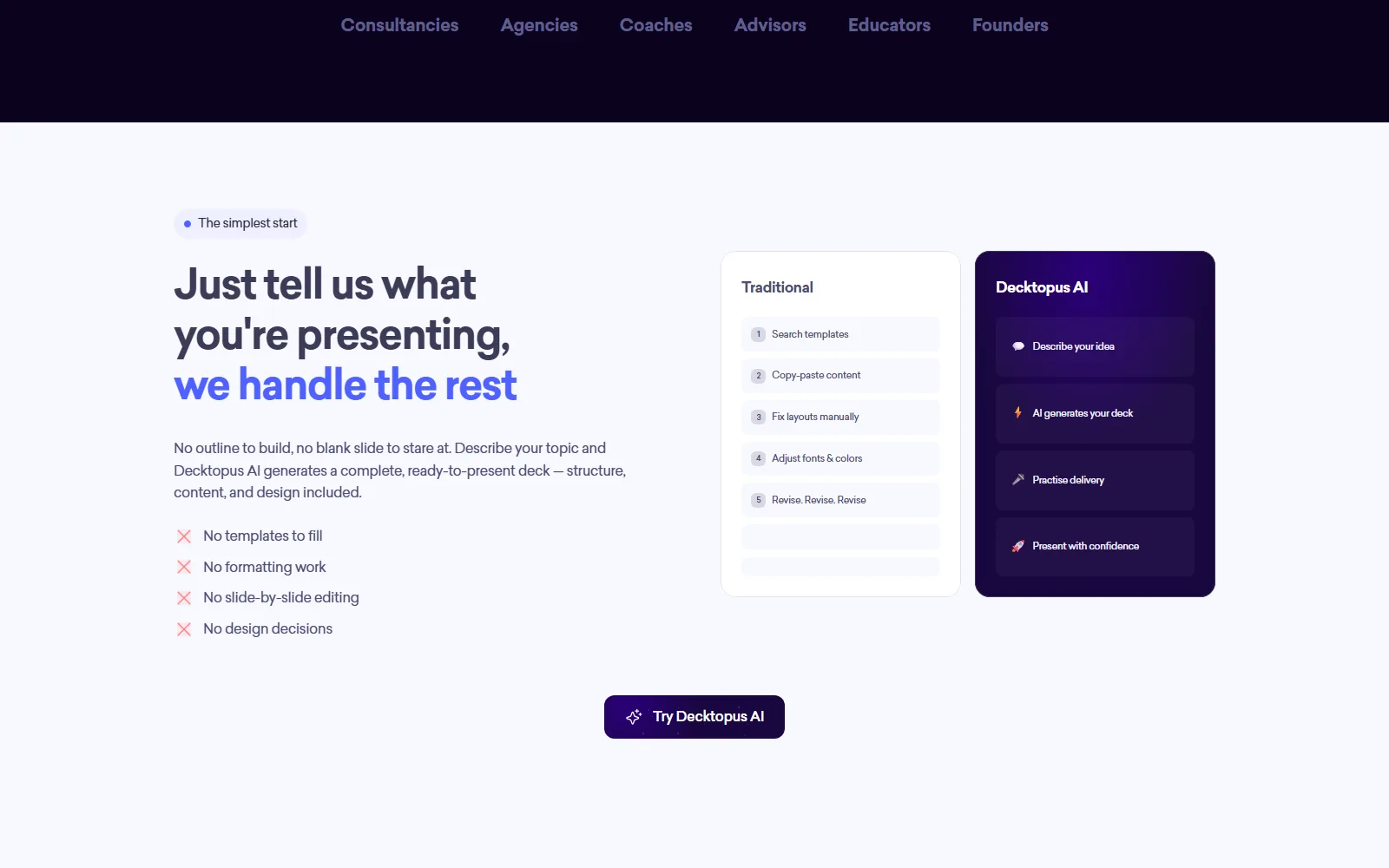
For turning a topic or a source document into a presentation. The homepage promises "a complete, on-brand deck ready to present, share, and track".
Deck and carousel generation
You describe a topic, or upload a file as source material, and get a deck. The homepage says an upload can also be used to redesign an existing presentation while keeping its content, a feature it calls Beautify. Carousels for LinkedIn and Instagram come from the same generator. Editing is either by prompt ("Edit with AI") or directly in the slide, and earlier versions can be restored. The homepage lists seven languages: English, French, German, Portuguese, Spanish, Turkish and Arabic.
Loop, the delivery coach
Loop is the rehearsal tool, included on Pro and above. The homepage describes four AI coaches called the Profiler, Architect, Red Team and Mirror, plus a readiness score and measures of pacing and filler words. It is the feature that separates Decktopus from a plain slide generator.
Sharing, analytics and brand
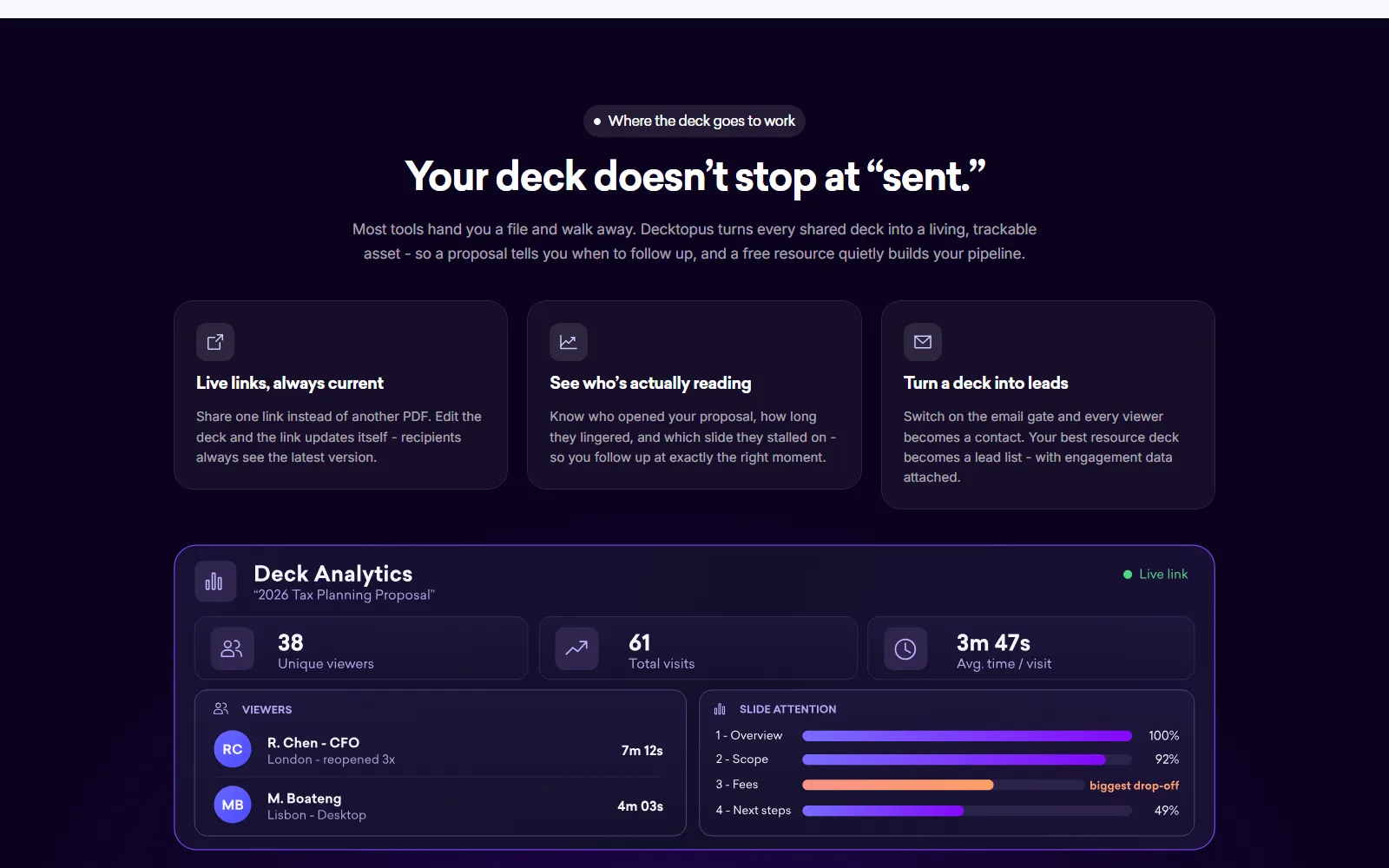
You can share a live link that updates when you edit the deck. The homepage says you can see who opened it, how long they viewed it and which slides they stopped on, with an optional email gate. A Brand Kit applies your logo, colours and fonts, and you can enter a website address to pull them in. Exports are PDF, PPT and PNG. The homepage also lists use inside ChatGPT, an MCP server for Claude or Cursor, and Zapier on Business plans.
Who Decktopus AI is for, and who should skip it
It suits people who give pitches, lessons or sales presentations often and want a first draft plus rehearsal in one place. Students get 50% off all plans with the code SUPPORTEDUCATION, per the pricing page.
- Skip it if you want a free trial. The pricing page lists neither a free plan nor a trial.
- Skip it if you need team pricing up front. Business and Enterprise have no published price.
- Skip it if you want a refund option. The Terms rule out refunds.
- Skip it if you need the exact cost of a deck. The credit figures are inconsistent, as set out below.
How much does Decktopus AI cost?
The figures come from the Decktopus pricing page, read 13 October 2026.
USD, read 13 October 2026, from Decktopus pricing (decktopus.com/pricing)
| Plan | Price | Billed | What is listed |
|---|---|---|---|
| Pro, annual | $9.99 a month | $119.88 a year | 750 AI credits a month; presentations and carousels; PDF, PPT, PNG export; sharing; Loop; version history; mobile access |
| Pro, 3-month | $19.99 a month | $59.97 per 3 months | Same as annual Pro |
| Pro, monthly | $24.99 a month | $24.99 a month | Same as annual Pro |
| Business | Not published | Not listed | 1,000 credits per seat a month; shared workspace, Brand Kit, slide analytics, custom domain, priority support |
| Enterprise | Not published; Let's Talk or Book a Demo | Not listed | Custom AI credits, custom branding systems, role-based access control, dedicated support |
The annual plan is marked "Save $180/yr" and the 3-month plan "Save $60/yr" on the page. Paid plans can buy extra credit packs, which "never expire and stack on top of your monthly credits"; the pack prices are not listed.
Credits are where the page contradicts itself. It says 750 credits is about 150 slides, which is 5 credits a slide, and the homepage also says each slide costs 5 credits. But the page's calculator says about 60 slides needs about 900 credits, or about 15 a slide. Ask Decktopus for exact rates before you size a plan.
Worked through on the published rates: one year of annual Pro is $119.88, while twelve months at the monthly rate is about $300, which is our arithmetic. That gap is the main reason to commit, and also the main risk given the refund rule. The 3-month plan at $59.97 per quarter is the middle route if you want to test the product for a season before paying for a year.
Is Decktopus AI free?
No. The pricing page does not mention a free plan or trial, so the entry point is Pro. The homepage counter and 5M+ user claim describe the wider product, not a free tier.
Cancellation, refunds and your data
The pricing page says: "Cancel anytime from your account settings, no cancellation fees", with access continuing to the end of the billing period. Section 3.4 of the Terms says refunds are not available for both monthly and annual subscriptions, with no exceptions listed. The Terms do not describe automatic renewal or define credits.
On data, the pricing FAQ says your data is excluded from AI training by default. The Privacy Policy says nothing about presentation content, prompts or AI training, names no AI providers and gives no retention periods. It lists contact details, device data, payment details and cookies, and offers deletion on request through the contact page. The Terms name Decktopus Inc, 2100 Geng Road, Suite 210, Palo Alto, California, and are governed by California law with binding arbitration. They do not clearly say who owns the content you create.
The About page says Decktopus started in 2019 and names no founders or location.
Where Decktopus's own pages disagree
- Cancel anytime on the pricing page versus no refunds in the Terms.
- 750 credits is about 150 slides on the pricing page, but the calculator implies about 15 credits a slide.
- The Privacy Policy is dated February 11, 2024 and does not mention AI, while the pricing page makes an AI-training promise.
- The About page says 4M+ users and 2B+ presentations, while the homepage says 5M+ people use it.
How Decktopus AI compares with other tools reviewed here
Gamma is the direct rival. Our Gamma review lists a Free plan with 400 credits at signup and no refill, Plus at $9 per seat a month billed annually, and Pro at $18. Decktopus has no free plan and its Pro at $9.99 sits close to Gamma's Plus, so the free credits are the main difference when you start; the sensible way to choose is to use Gamma's free credits first and compare output.
For presenters who also want video, Synthesia turns a script into a presenter video; our review lists a Basic plan at $0 and Starter at $29 a month.
Sources
- Decktopus pricing, decktopus.com/pricing, read 13 October 2026
- Decktopus homepage, decktopus.com, read 13 October 2026
- Decktopus Terms, decktopus.com/terms, read 13 October 2026
- Decktopus Privacy Policy, decktopus.com/privacy, read 13 October 2026
- Decktopus About page, decktopus.com/about, read 13 October 2026