 Reviewed by Amit Kumar
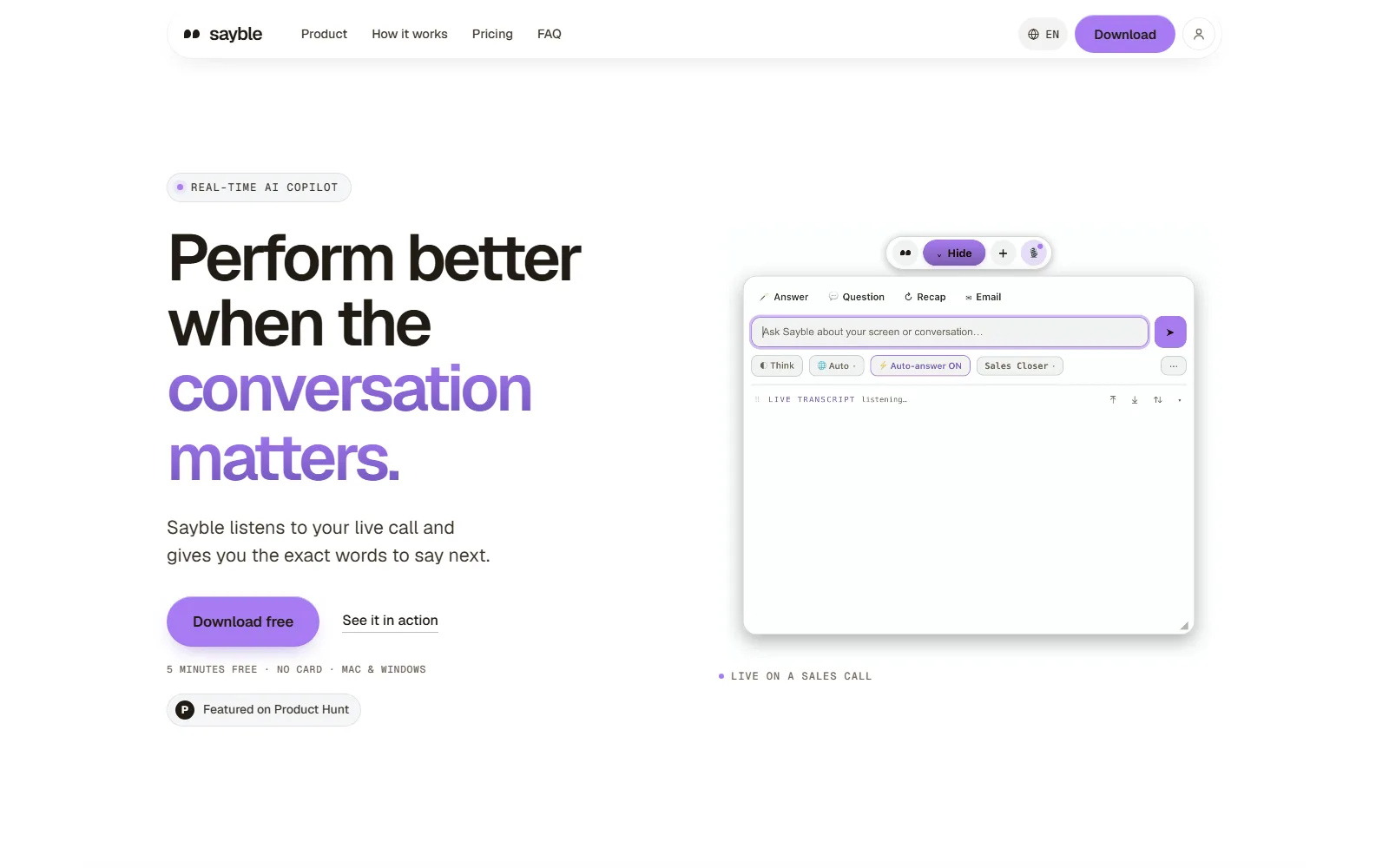
Sayble is a desktop copilot for people who spend their working day on live calls: sales, negotiations, client meetings. It listens while the call runs, suggests one line to say next, and afterwards drafts a recap and a follow-up email. Free covers a single 5-minute live session. Sayble Pro costs $39.99 a month, or $24.99 a month for the first 12 months at the founder rate, then $39.99. Teams is custom-priced.
Fact-checked reviewProductivity

Sayble Review: Pricing, Free Session and Limits
Live AI that suggests what to say next on a call
Quick verdict
The price list is short and easy to follow, but the free offer is a one-off 5-minute trial, not an ongoing plan, so you get very little to judge it on before paying. The catch is the fine print. The legal pages call the product beta and say features and pricing may change, the Terms put recording-consent compliance on you, and the vendor itself says the AI output can be incomplete or inaccurate.
Best forLive sales callsNegotiations and client meetingsFounders on partner calls
How we reviewed Sayble
We read Sayble's homepage, pricing, FAQ, how-it-works, privacy and terms pages on 30 September 2026.
Every Sayble plan, price and limit in this review comes from Sayble's own pages, checked on , and links to the page it came from. A review cannot be bought. How these reviews are written
On this page
Sayble at a glance
| Question | Short answer |
|---|---|
| Plans | Free at $0; Sayble Pro at $39.99 a month; Sayble Teams, custom |
| Free allowance | One full 5-minute live session, no card |
| Founder rate | $24.99 a month for the first 12 months, then $39.99 |
| Platforms | macOS and Windows desktop apps; mobile pricing to be announced |
| Languages | 10, with auto-detect |
| Prices read | trysayble.com/pricing, 30 September 2026 |
What is Sayble used for?
It is a live copilot for sales calls, negotiations, client meetings and similar high-stakes conversations. Per the homepage and FAQ, it suggests the next line during the call and writes a recap plus follow-up email afterwards. It is not positioned as a general writing or coding assistant.
Live suggestions
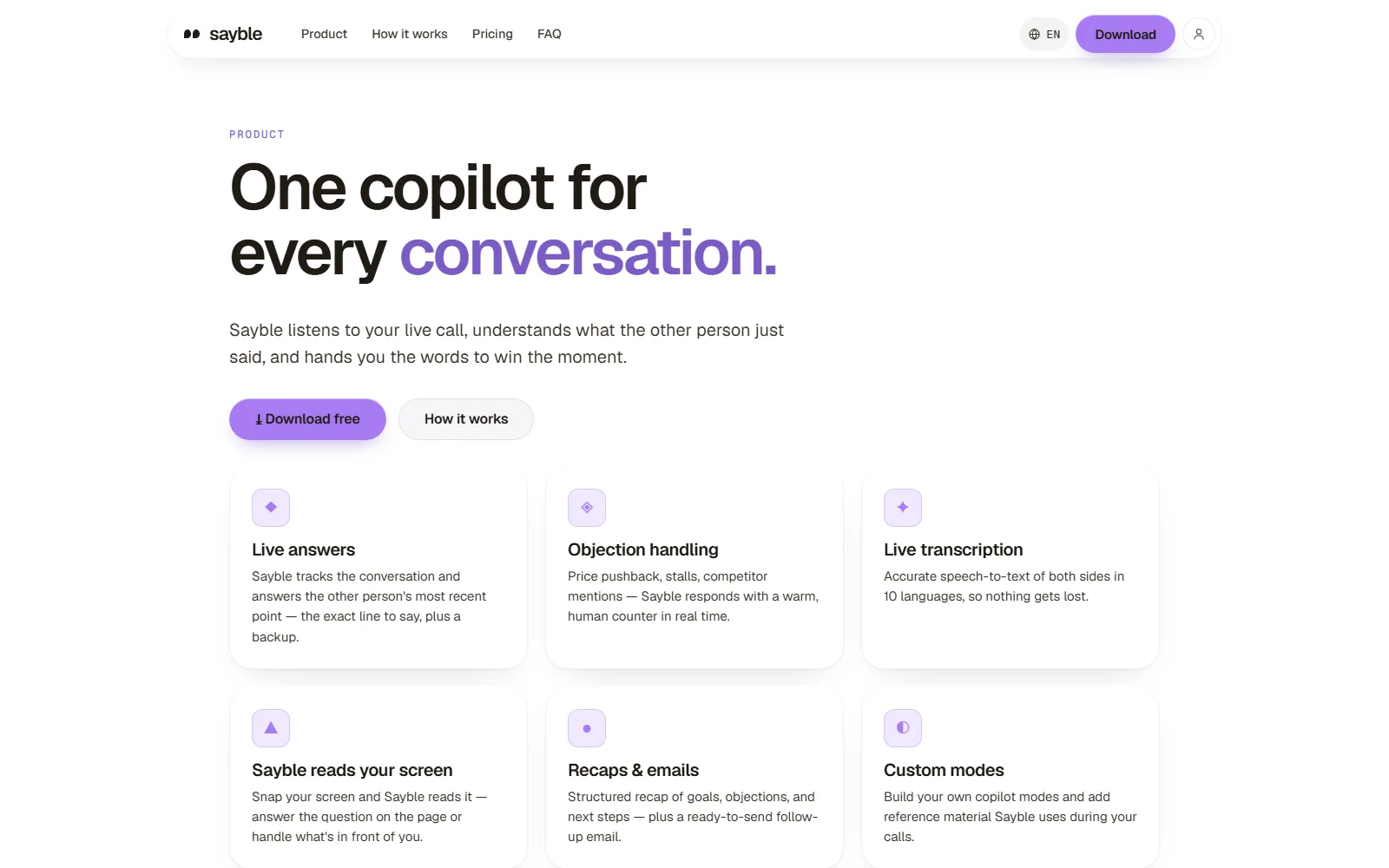
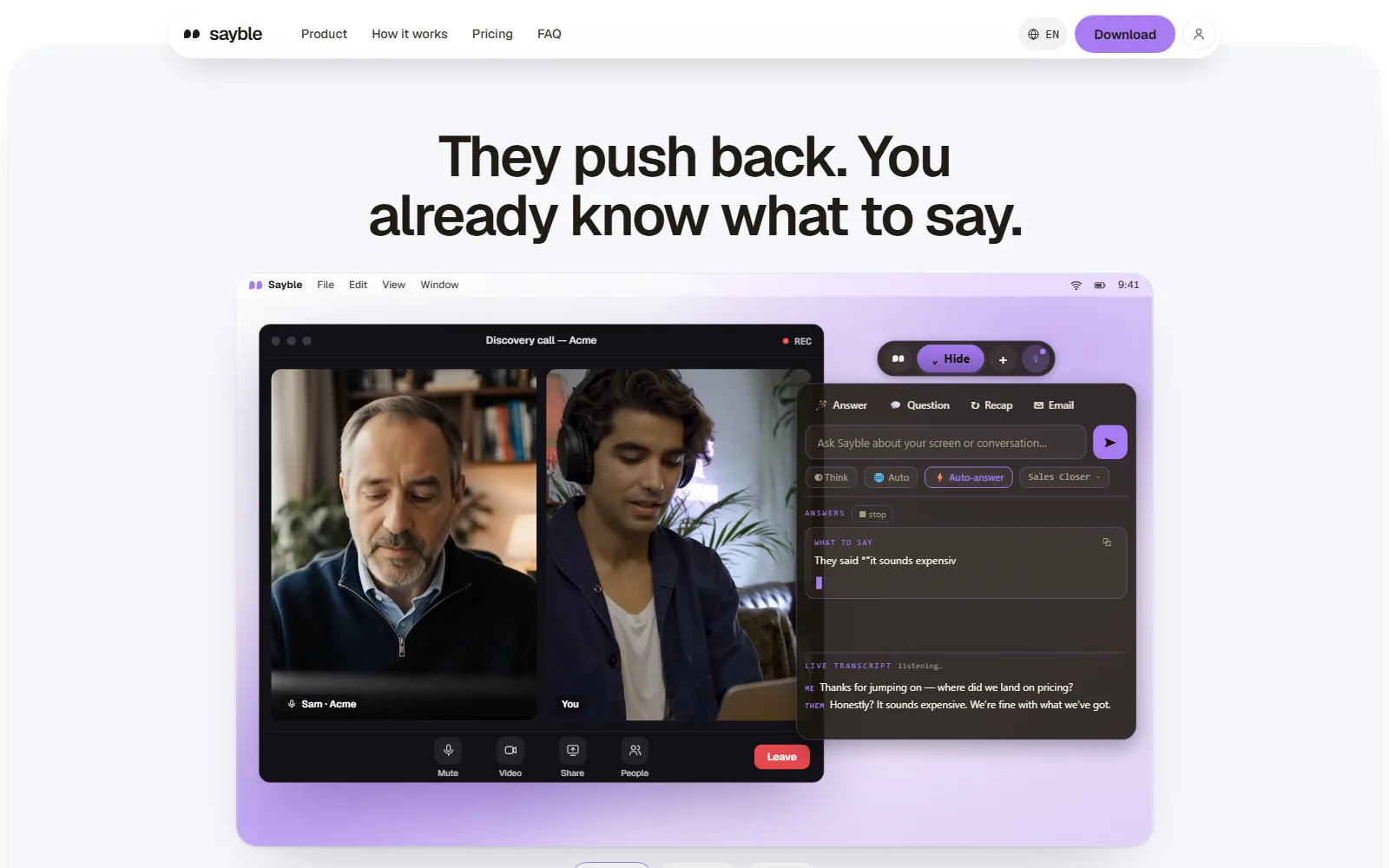
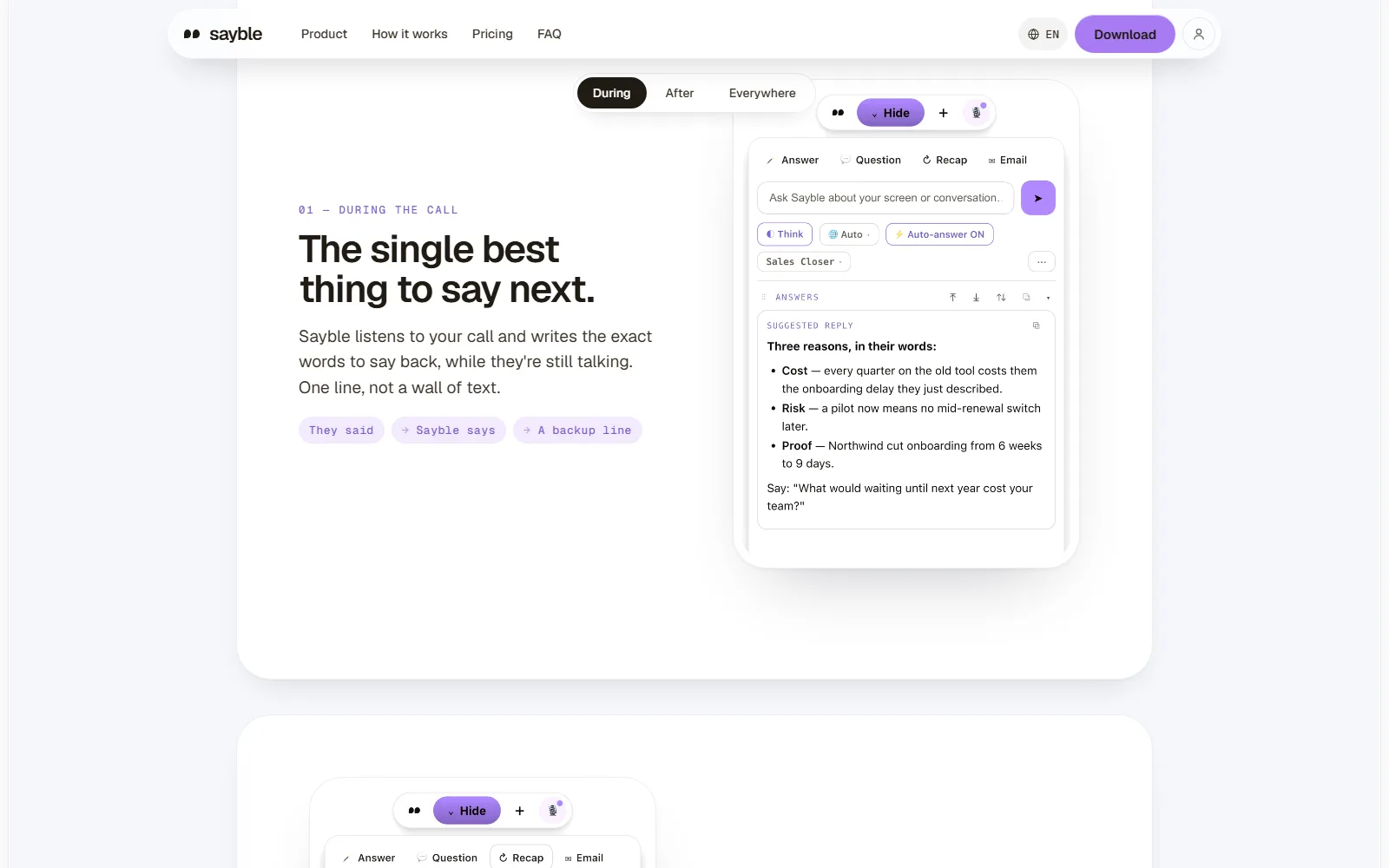
On the Sayble homepage, the product is a desktop app that rides along on calls you already take. You start a session before the conversation. Sayble transcribes both sides in real time and, when the other person makes a point, shows one suggested reply in quotes plus a backup line, ready to speak. The homepage markets a latency of “about half a second” for that next line.
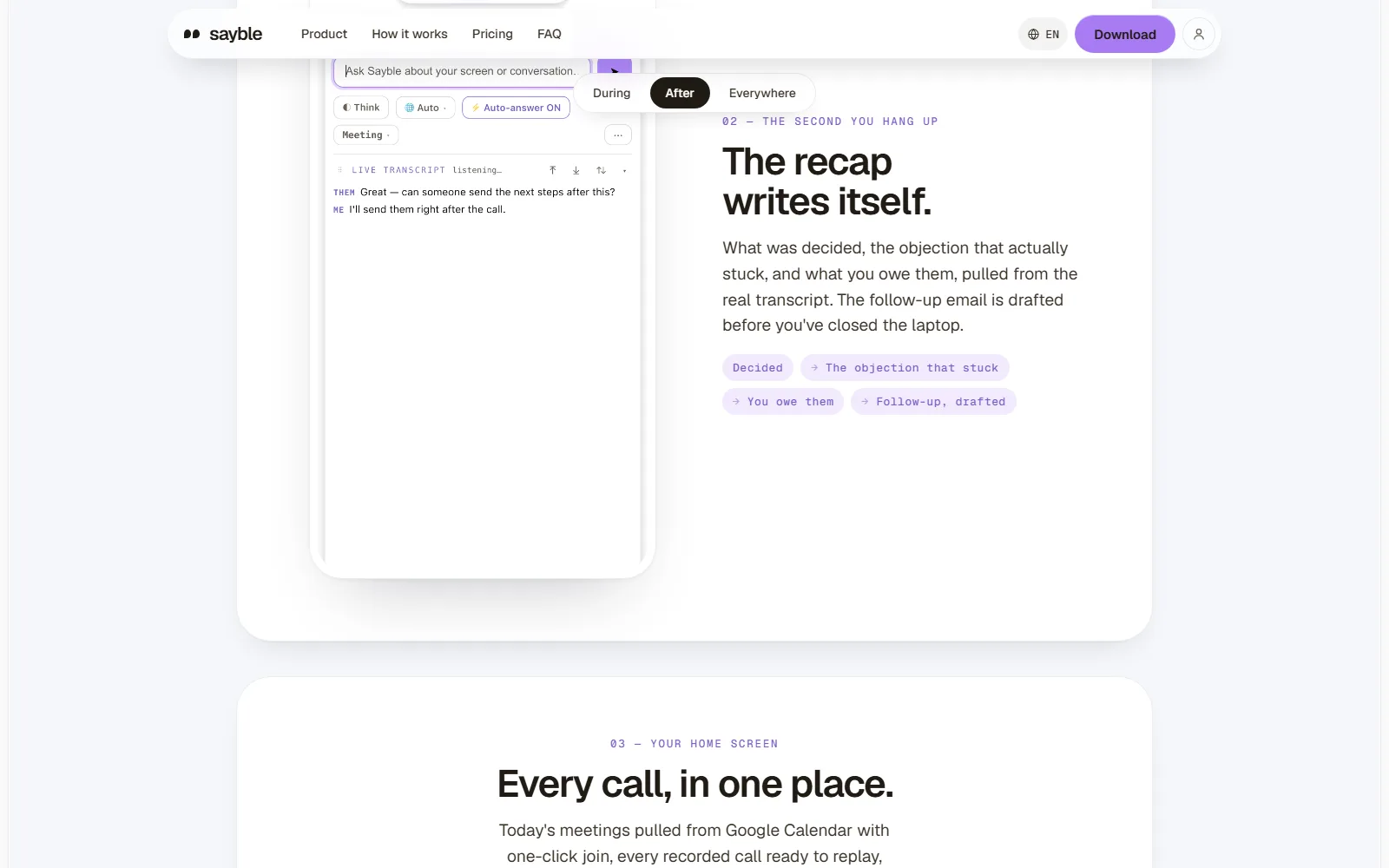
The how-it-works page frames four steps: start a session, talk normally, receive the words to say, then close with a recap. Marketing screenshots show three surfaces: a live pill carrying the suggested line, a post-call recap with decisions and a drafted follow-up, and a home view that pulls today's meetings from Google Calendar with one-click join. A separate “ask past conversations” section claims you can query earlier calls in plain language, for example to find which objection came up most often.
Where it runs
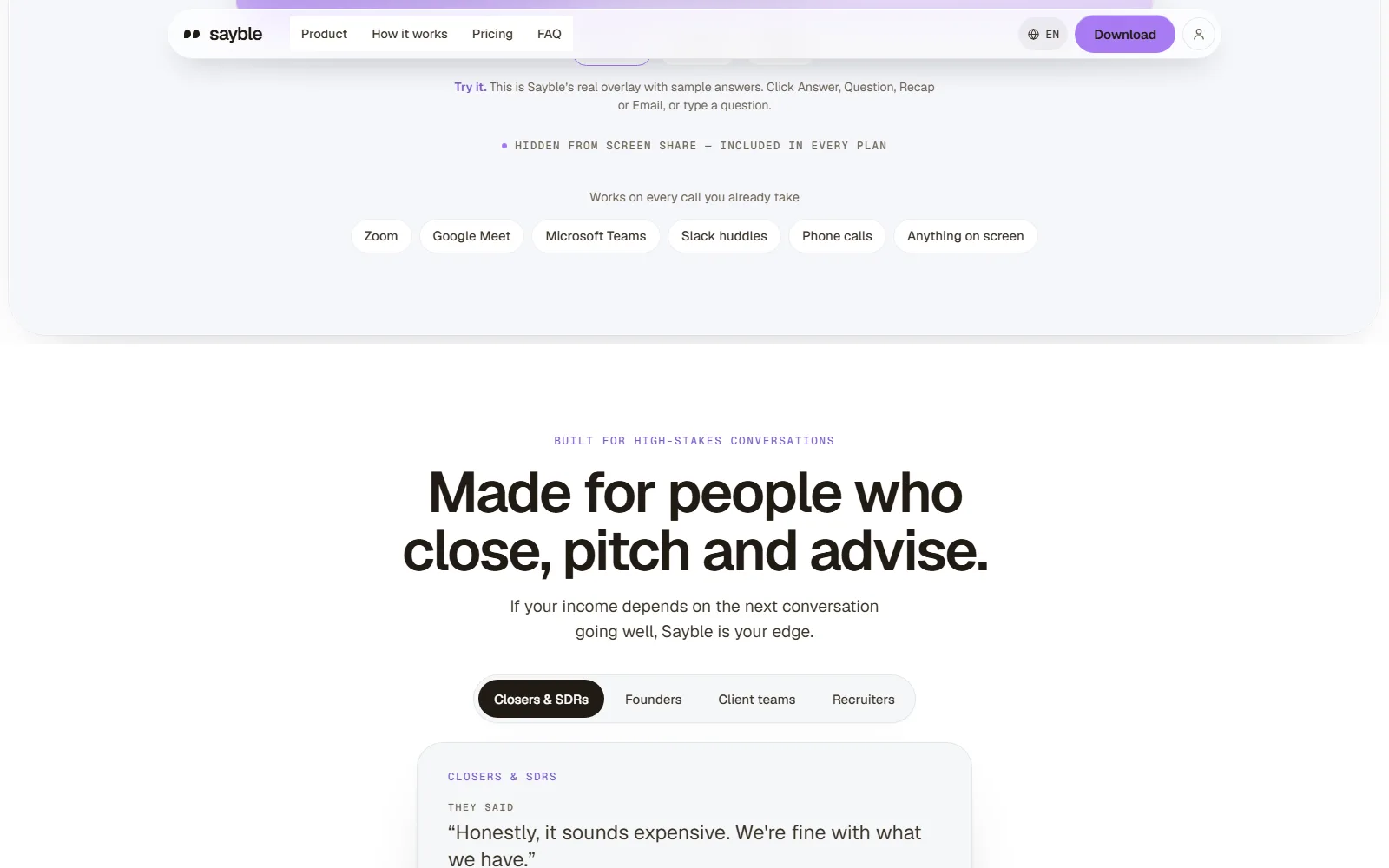
The homepage lists Google Meet, Zoom, Microsoft Teams, Slack huddles, phone calls and “anything on screen.” Downloads are offered for macOS (Apple Silicon .dmg) and Windows (Windows 10 & 11 .exe). The product copy and site schema list ten languages with auto-detect: English, Spanish, Portuguese, French, German, Italian, Japanese, Chinese, Hindi and Arabic.
The vendor says suggestions appear on your screen only and are “designed to stay hidden on screen share.” That is a description of a desktop app on your own machine, not a meeting bot that joins Zoom or Meet as a separate participant.
Who is behind it
The legal pages name Perez Capital Group LLC, a Wyoming limited liability company, as operator. Site schema and founder credits on the homepage name Alexis Perez. The FAQ lists support at support@trysayble.com.
Who Sayble is for, and who should skip it
The FAQ names sales closers, SDRs, account executives, founders, customer success and support staff, recruiters, consultants and anyone whose work depends on high-stakes conversations. In short, people who want a prompt during the call, not just a transcript after it.
Skip it, or at least slow down, if any of these apply:
- You mainly want a free archive of every meeting. Fathom, reviewed here, does that job with a deeper free plan (see the comparison below).
- Five free minutes is not enough to judge fit. That is all you get before paying.
- You cannot accept conversation context going to AI providers. The privacy policy describes exactly that.
- Recording or transcription consent rules in your jurisdiction make live AI help impractical. The Terms put consent compliance on the user.
- Your team needs a published per-seat price. Teams shows only “Custom.”
How much does Sayble cost?
Plan names and amounts come from Sayble's pricing page, checked 30 September 2026. The FAQ and the homepage JSON-LD restate the same Free session length and the same Pro list and founder prices. Confirm the amount at checkout before you subscribe, because founder or creator codes affect the first-year Pro rate.
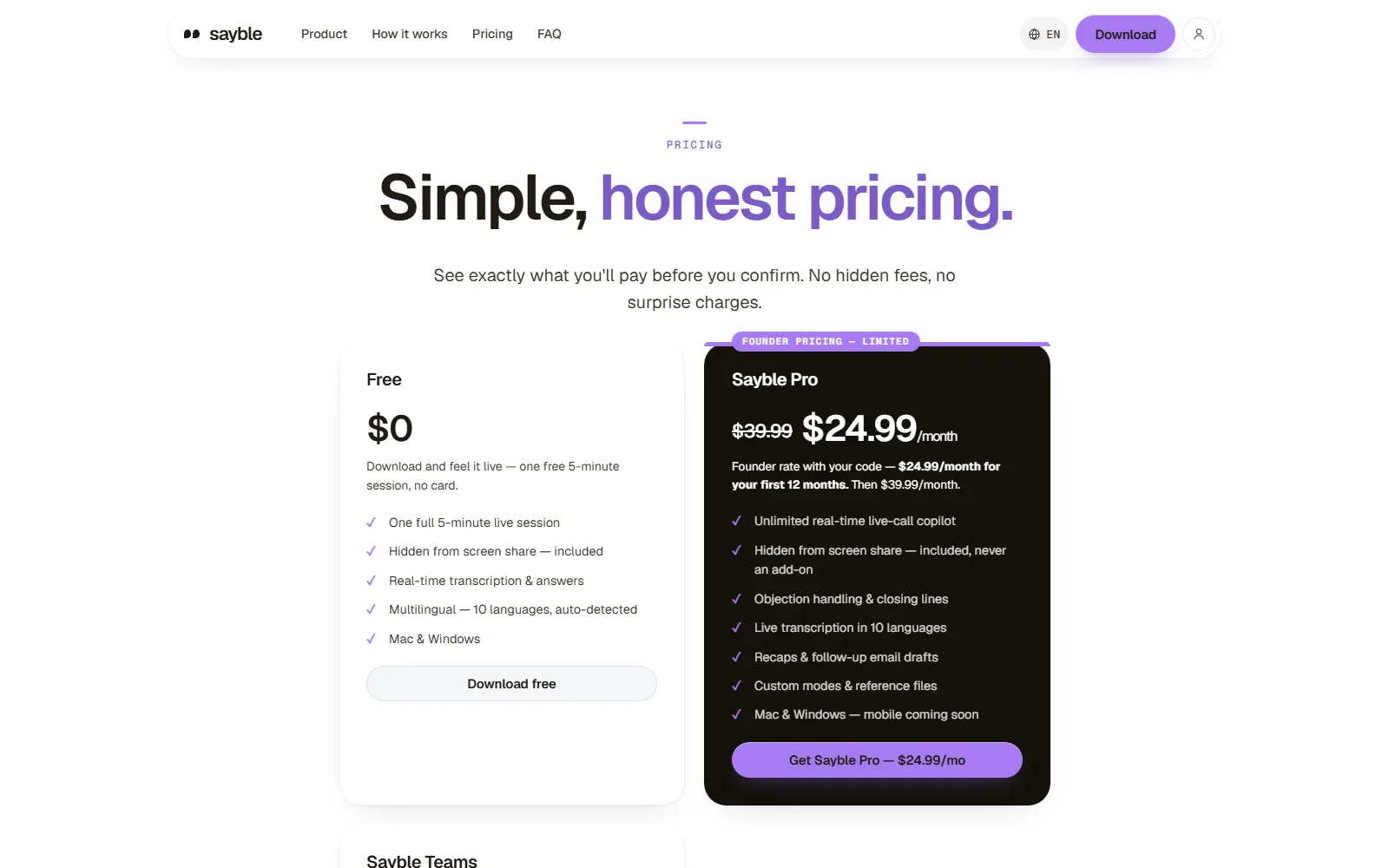
USD, checked September 30, 2026, from https://trysayble.com/pricing
| Plan | Price | What you get (vendor-stated) | Where free / limits stop |
|---|---|---|---|
| Free | $0 | One full 5-minute live session; real-time transcription and answers; 10 languages auto-detected; Mac and Windows. No card. | Stops after that one 5-minute session. FAQ: when free time runs out, Sayble stops answering; nothing is charged. |
| Sayble Pro | $39.99/month list; founder rate $24.99/month for the first 12 months, then $39.99/month | Unlimited real-time live-call copilot; objection handling and closing lines; live transcription in 10 languages; recaps and follow-up email drafts; custom modes and reference files; Mac and Windows (mobile coming soon on the pricing page). | Requires subscription. Pricing page: you are charged the price shown today; renews monthly until cancelled. Cancel from Account → Manage subscription. |
| Sayble Teams | Custom | Everything in Pro, per seat; team onboarding and rollout; priority support; call-center pricing at volume. | No self-serve USD table on the pricing page checked 30 September 2026; contact the vendor. |
The founder rate is a $15 a month saving for a year, which is the real price decision here: after month 12 the bill reverts to $39.99. The pricing page notes that Sayble Mobile pricing is to be announced.
On billing, the Terms say paid plans bill through Stripe and that you see the plan, price, billing period, renewal amount and date, and how to cancel before you confirm. Except where the law requires otherwise, payments are generally non-refundable (billing contact: billing@trysayble.com). The Terms also say there is no separate unpaid trial period on paid plans: you are charged when you subscribe. They mention monthly and annual plans shown at checkout, but the pricing page we read listed only monthly Pro and custom Teams, so verify any annual dollar amount at checkout.
Cancelling is simple: use Account → Manage subscription, and access continues to the end of the paid period. Subscriptions renew until cancelled.
Is Sayble free?
Yes, with a hard stop. The pricing page and FAQ describe one free 5-minute live session with no credit card. After that, the FAQ says Sayble stops answering until you subscribe. There is no ongoing free plan on the pages checked on 30 September 2026.
How Sayble handles privacy and AI data
The Privacy Policy (effective 5 September 2026) says Perez Capital Group LLC does not sell personal information and does not use private conversation content to train third-party foundation models. Conversation context is sent to AI model providers to generate suggestions. The policy names current providers including OpenAI, DeepInfra and Groq, with NVIDIA (NIM API) and Cerebras listed as backups, and notes that the active list may change.
Billing cards go through Stripe. Account deletion is available from Account → Privacy, with legally required billing retention. Read the full policy before you put client calls through the app.
Beta status and platform gaps
The Terms of Service (effective 28 September 2026) and the Privacy Policy mark the product as beta and say features, availability, performance and pricing may change. The homepage adds that AI output can be incomplete or inaccurate and that you stay in control.
Platforms are where the vendor's own pages are least consistent. The homepage and pricing page emphasise macOS and Windows downloads, with mobile “coming soon” on the pricing page. One FAQ answer mentions Android and web availability, while elsewhere iOS is described as early access. Treat Mac and Windows as the confirmed path and check mobile and web status on the vendor site before buying for those platforms.
How Sayble compares with other tools reviewed here
Sayble is a live-call performance copilot. The closest pages we have are meeting notetakers and a Mac screen helper, not other real-time “next line” tools.
Sayble vs Granola. Granola is a meeting notepad that captures device audio without a bot and merges the transcript with notes you typed. Our Granola review (checked 24 September 2026) shows Basic at $0 per user per month with limited history, Business at $14 per user per month and Enterprise at $35 per user per month. Choose Granola when the job is finished notes from your own typing plus audio. Choose Sayble when the job is a spoken next line while the other person is still talking.
Sayble vs Fathom. Fathom is an AI notetaker that records, transcribes and summarises meetings. Our Fathom review (checked 24 September 2026) shows Free with unlimited recordings, transcriptions and instant summaries, Premium from $20 a month ($16 a month billed yearly), and higher Team and Business tiers. Choose Fathom for a searchable call archive and post-call summaries. Choose Sayble for in-call prompts and a drafted follow-up tied to the live session.
Sayble vs Pip. Pip is a Mac-only AI buddy that points at on-screen controls. Our Pip review (checked 29 September 2026) lists Free at 30 questions a month, Pro at $15 a month and Max at $69.99 a month. Pip answers “where do I click?” on the desktop; Sayble answers “what do I say next?” on a call. They complement each other rather than compete.
Sayble screenshots
More of Sayble's own website, captured . Each caption says which page it shows.
Sayble pros and cons
Pros
- Short, clear Free, Pro and Teams structure on the pricing page
- Free 5-minute live session needs no card and charges nothing when it ends
- Live next-line suggestions plus a post-call recap and follow-up email draft
- Mac and Windows apps that work across Zoom, Meet, Teams, Slack huddles and phone calls
- Privacy policy names its AI providers and says no sale of personal information and no training of third-party models on private conversations
Cons
- Free is one 5-minute session, not an ongoing plan
- Legal pages mark the product beta and say features and pricing may change
- The vendor says AI suggestions can be incomplete or inaccurate, and you must review them
- Recording and consent laws are the user's responsibility under the Terms
- Founder rate lasts 12 months, then Pro reverts to $39.99 a month
- Teams and mobile prices are not published as self-serve USD tables
The bottom line on Sayble
Best for
- Live sales calls
- Negotiations and client meetings
- Founders on partner calls
Facts checked
Visit SaybleSayble FAQ
What is Sayble used for?
Sayble is a live AI copilot for sales calls, negotiations, client meetings and similar high-stakes conversations. It suggests the next line during the call and drafts a recap plus follow-up email afterwards.
Is Sayble free?
Yes, with a hard stop: one free 5-minute live session with no credit card, per the pricing page checked 30 September 2026. After that, Sayble stops answering until you subscribe.
How much does Sayble cost?
Free is $0 for one 5-minute session. Sayble Pro is $39.99 a month, or $24.99 a month for the first 12 months at the founder rate, then $39.99. Sayble Teams is custom-priced (trysayble.com/pricing, checked 30 September 2026).
Does Sayble put a bot in the meeting?
No. Its marketing describes a desktop app on your machine that shows suggestions only on your screen and is designed to stay hidden on screen share. It is not a meeting bot that joins as a separate participant.
Who should use Sayble?
Sales closers, SDRs, account executives, founders, customer success and support staff, recruiters and consultants whose work depends on live conversations. Skip it if you only need a post-call archive or a long free tier.
How does Sayble handle privacy and AI data?
Its Privacy Policy (effective 5 September 2026) says Perez Capital Group LLC does not sell personal information or use private conversation content to train third-party foundation models. Conversation context is sent to AI providers, including OpenAI, DeepInfra and Groq, to generate suggestions.
Can I cancel Sayble anytime?
Yes. Cancel from Account → Manage subscription and access continues to the end of the paid period. Subscriptions renew until cancelled.
What platforms and languages does Sayble support?
The confirmed path is macOS and Windows downloads. It lists ten languages with auto-detect: English, Spanish, Portuguese, French, German, Italian, Japanese, Chinese, Hindi and Arabic. Mobile pricing is still to be announced.
Alternatives to Sayble
- NNiroHelpFree plan + paid upgradesWordPress help desk with AI answers from your docs
 PipFree plan + paid upgradesMac AI buddy that points where to click
 AncherFree plan + paid upgradesSave what you read and watch, then find it by meaning
 AyvenFree plan + paid upgradesAI coordinator that chases team tasks in Slack and Teams
 Chat.shFree plan + paid upgradesAI help center that answers with citations

Reviewed by
Amit Kumar
Full Stack AI Strategist
Amit Kumar runs MPAT, where he reviews AI tools and writes its guides. When he covers a tool he checks its pricing, credits and plan limits against the vendor's own pages, so readers know what a plan includes before they pay. He also leads the site's SEO and AI-focused content strategy.