 Compiled by Amit Kumar
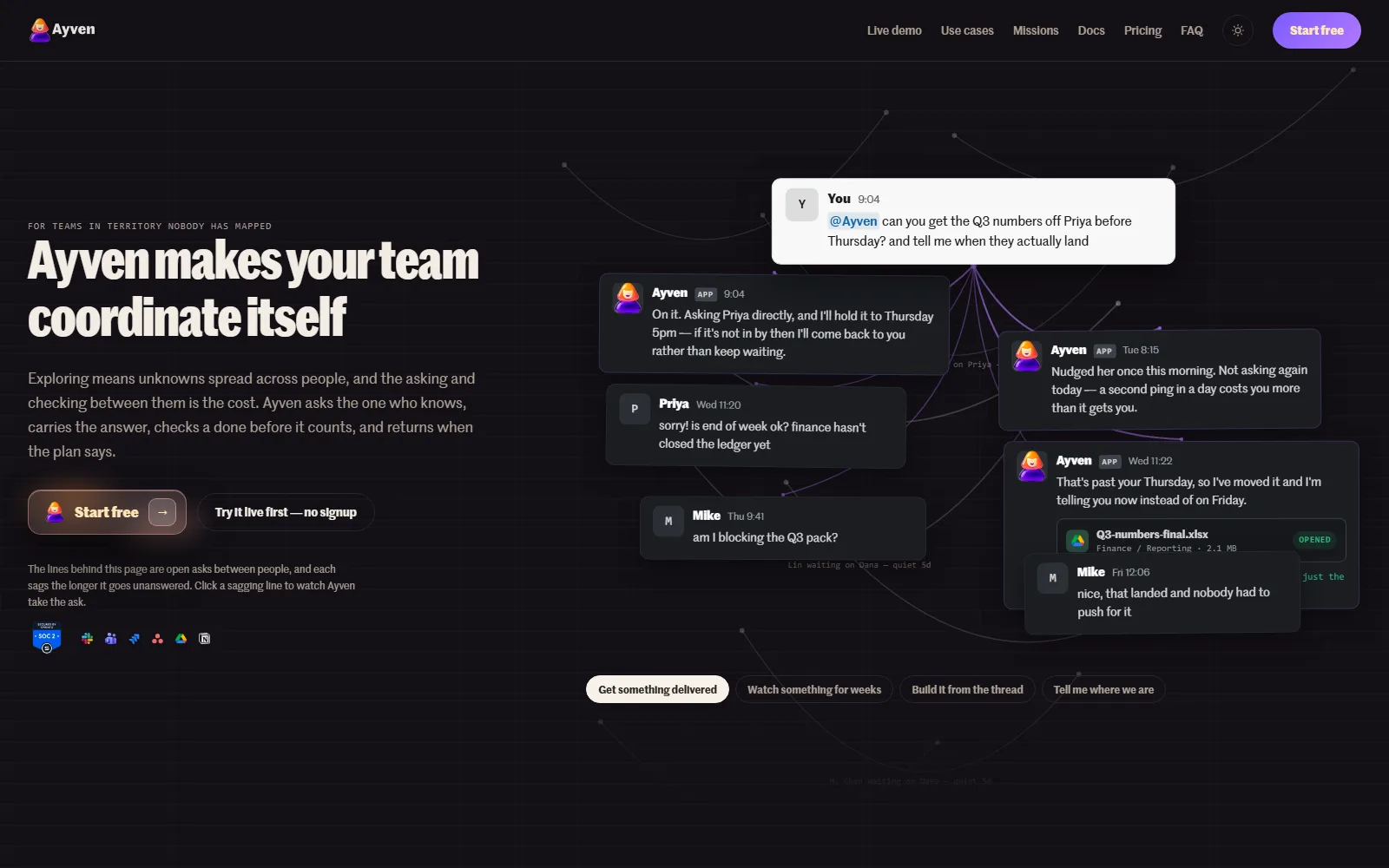
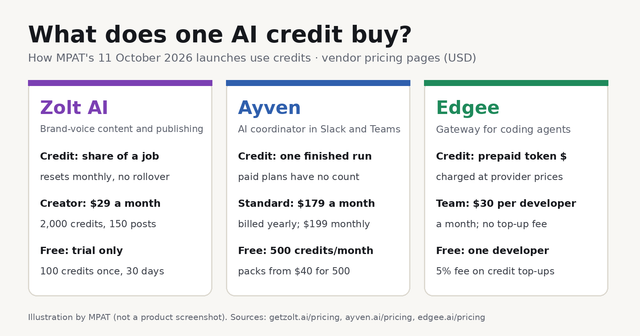
Ayven is an AI coordinator from UK company Alknoma that works inside Slack or Microsoft Teams. It asks teammates for answers, files tickets after you approve them and checks them until they are done. It suits small product and operations teams. A free plan gives 500 runs a month; Standard costs $179 a month billed yearly.
Our read: pricing per workspace instead of per seat is the best thing about it, since the whole team shares one plan. The catch is the gap in the ladder. Paid plans start at $179 a month billed yearly ($199 monthly), with nothing between Free and that except credit packs. The approval design also needs a clear head: ticket and document changes wait for a person, but Ayven's messages to colleagues and its comments on overdue tickets go out without per-message approval.
We read the Ayven homepage, the Ayven pricing page, the Ayven FAQ, the missions page, the Ayven documentation, the Terms and Conditions and the Privacy Policy on 11 October 2026.
Ayven at a glance
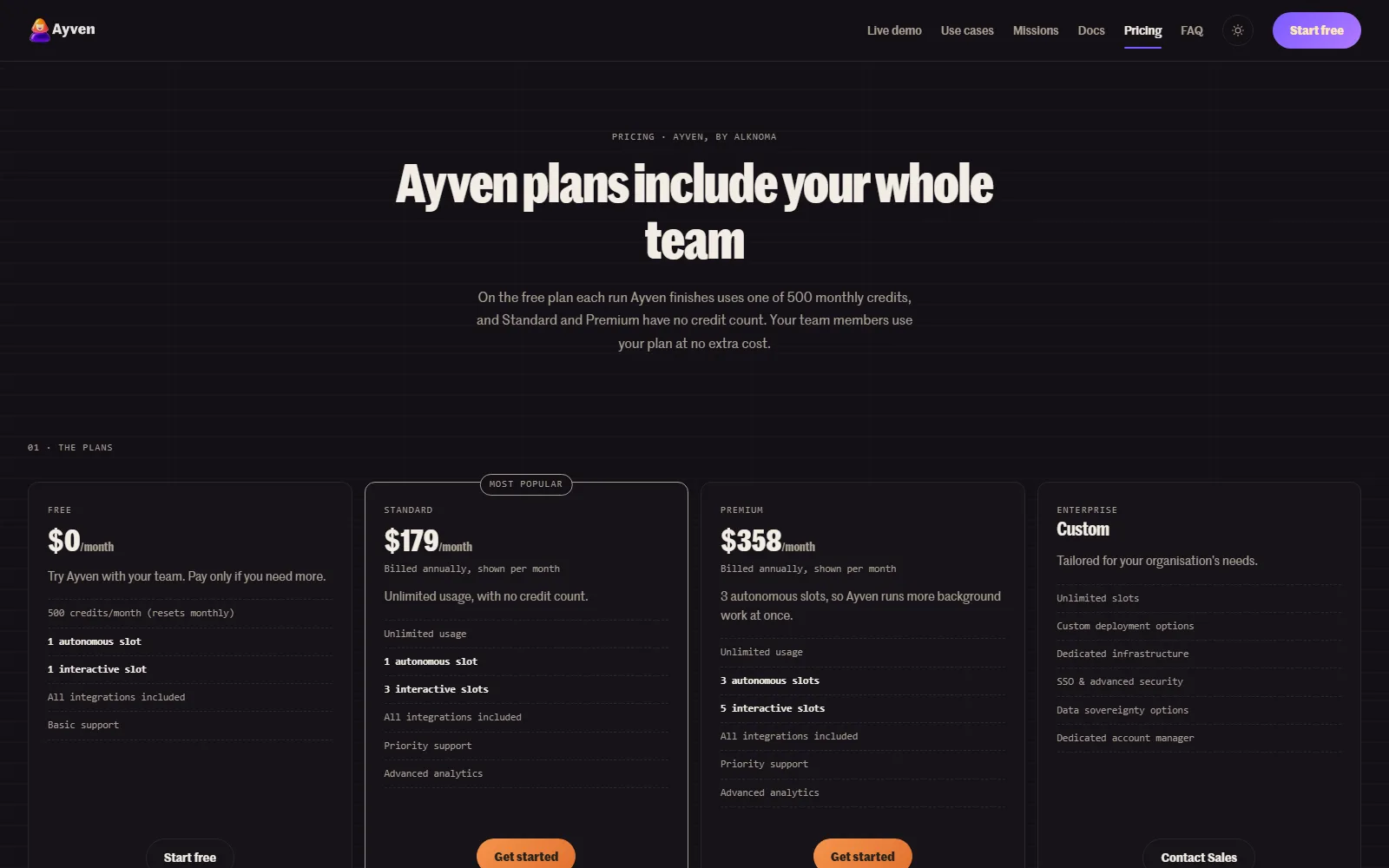
Ayven is made by Alknoma Limited, a UK-registered company. It keeps a team's open questions and tasks moving: it asks the person who holds each answer, follows up when replies stall, turns threads into Jira, YouTrack or Asana tickets after a person approves them, and watches each ticket until the tracker shows Done. Long projects run as missions with named owners and give-up dates. The Free plan includes 500 credits a month, where one finished run uses one credit. Standard is $179 a month billed yearly, or $199 month to month, with no credit count. Premium is $358 a month billed yearly, or $398 monthly, with three background slots. Credit packs cost $40 for 500 or $100 for 2,000. The full table is below.
What does Ayven do?
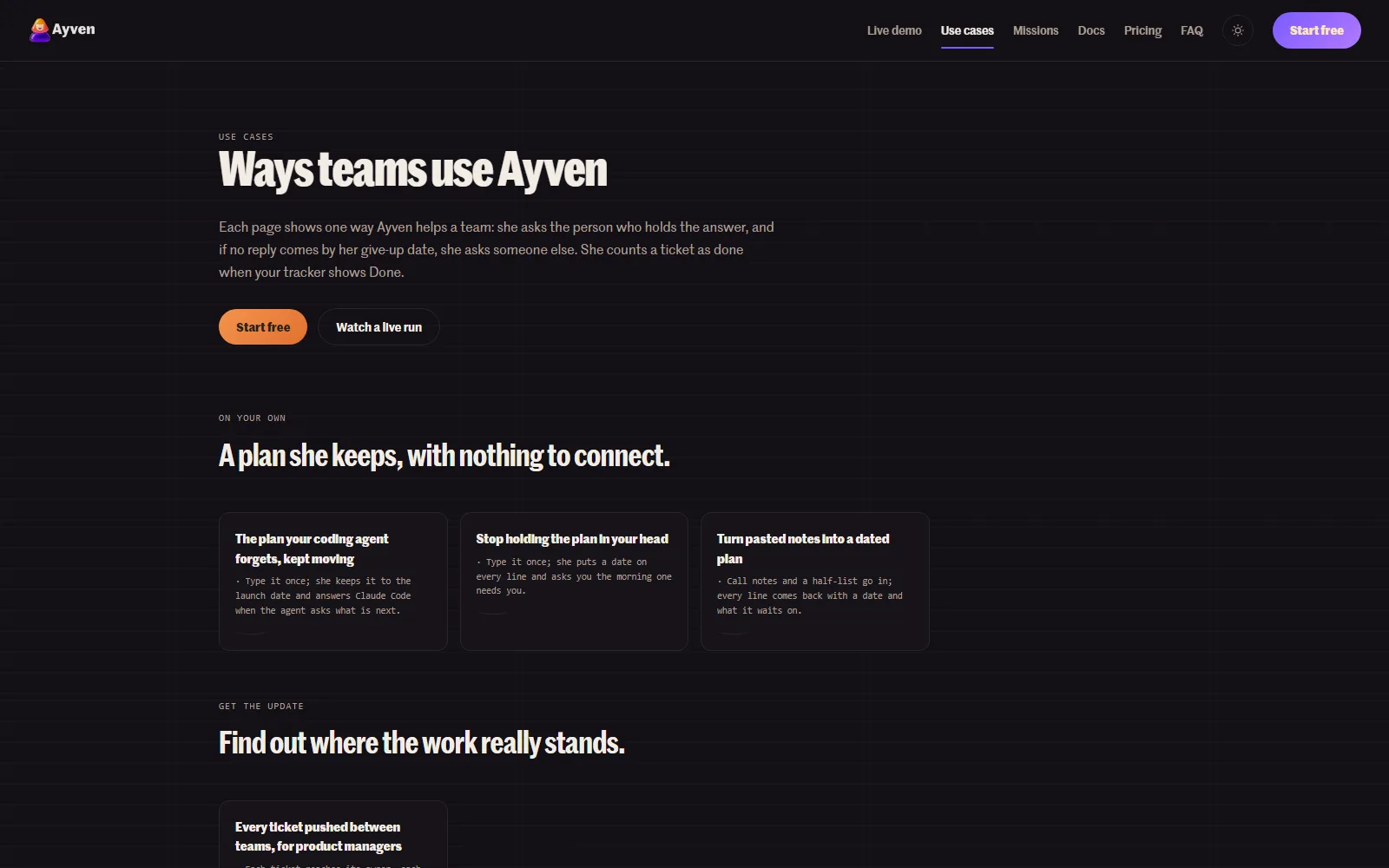
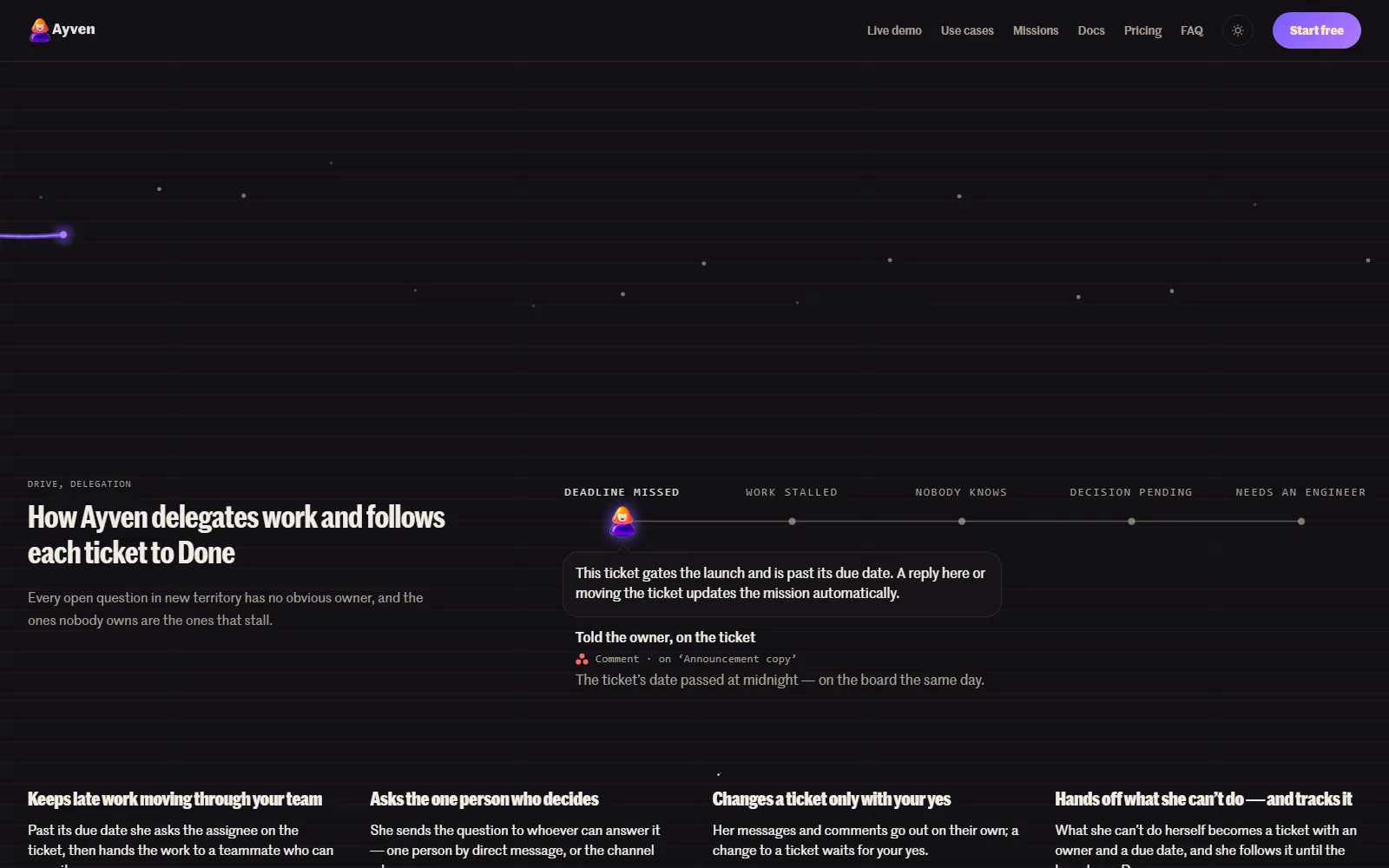
Ayven is built around the gaps between people: the unanswered question, the ticket past its date, the sign-off stuck with someone on holiday. You tell it the outcome you want, and it works out who each step waits on, messages them and follows up. The homepage and the docs describe these parts.
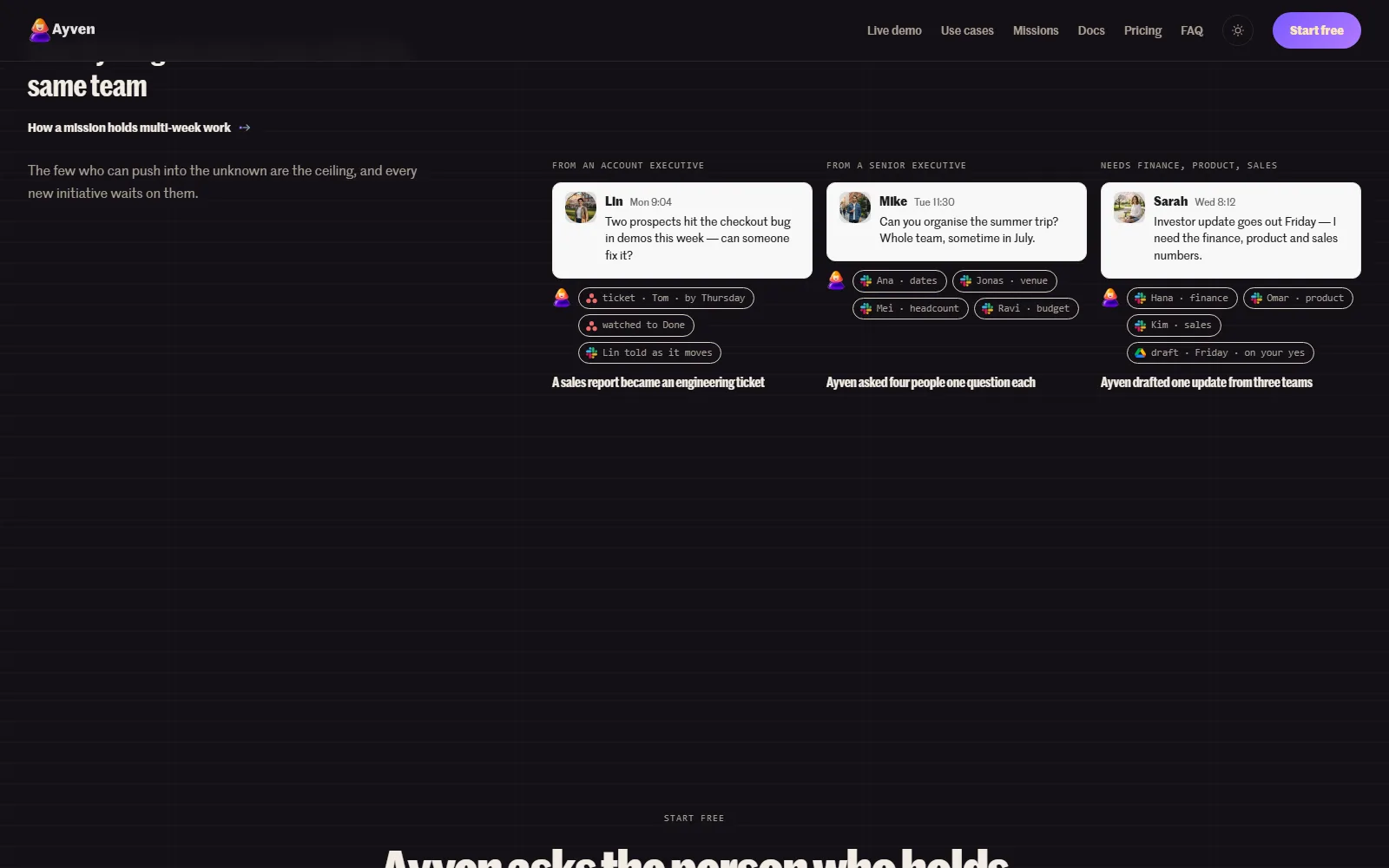
- Asks the person who knows. Ayven sends a question to the one person who can answer it by direct message, or to a channel when anyone can. If no reply comes by a give-up date, it asks someone else and tells the person who asked.
- Files and follows tickets. Per the project delivery docs, a Slack or Teams thread becomes a Jira, YouTrack or Asana ticket with the thread's context and an owner. Ayven checks for similar existing issues first, then watches the ticket until the tracker shows Done. It never marks a ticket Done itself.
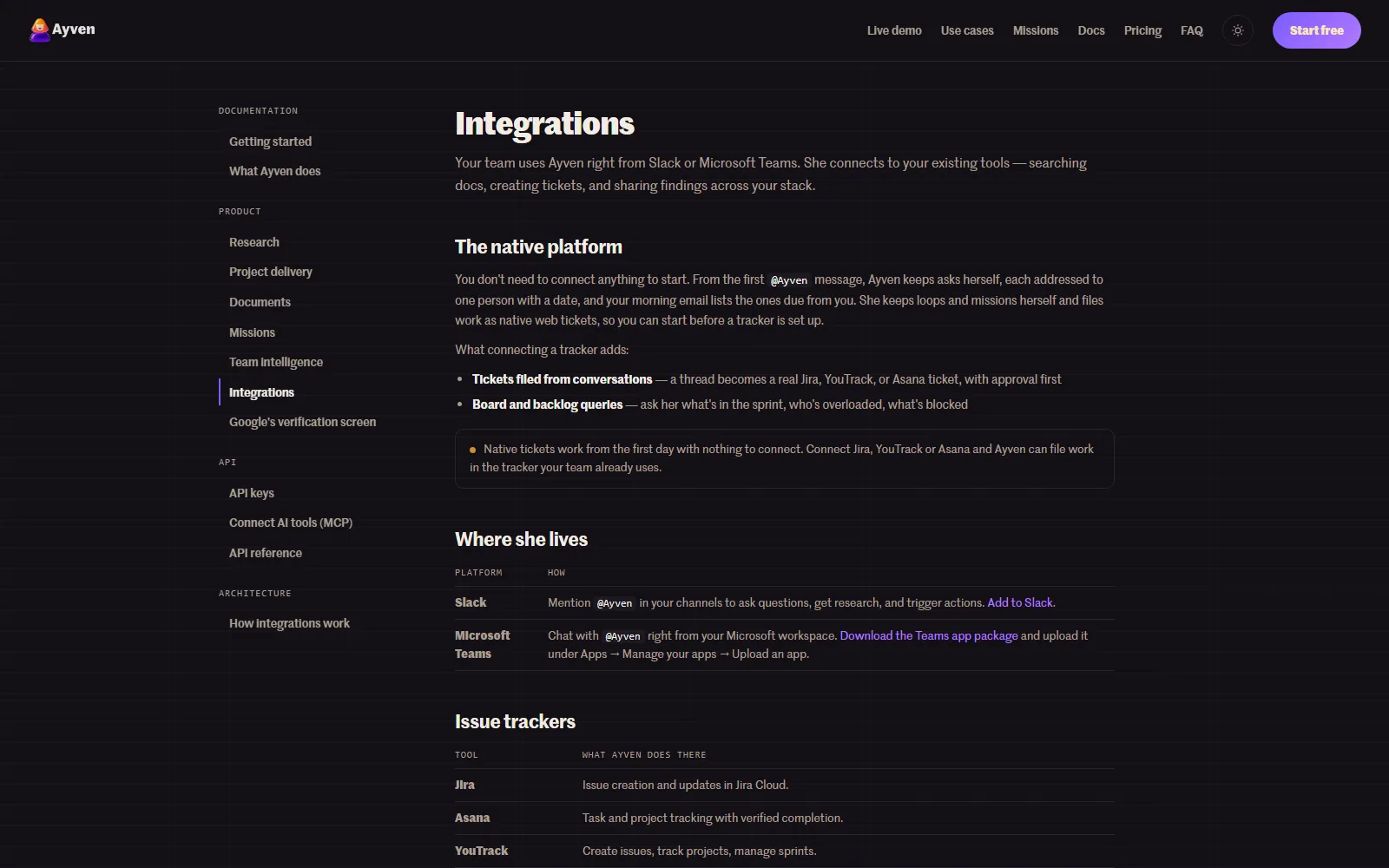
- Native tickets with nothing connected. Teams without a tracker can start on Ayven's own web tickets and connect Jira, YouTrack or Asana later.
- Missions for multi-week work. The missions page describes a structure that records who each wait is on, a give-up date, and a next check that Ayven schedules for itself. When a launch date starts to slip, it emails the owner while there is still time to act.
- Research. The research docs list three modes: internal (your connected documents only), external (web only) and hybrid, the default. Findings come with web sources and confidence levels.
- Documents. It can create and update documents in Google Drive and Notion, such as an investor update assembled from three teams' numbers, filed only on your yes.
- API and MCP. The MCP docs show Claude Code, Cursor and Codex connecting with an API key, so a coding agent can message Ayven and settle its approvals. The FAQ still calls API access an enterprise feature, so confirm your plan first.
The approval rule is the part to understand before you install it. Ayven's messages and its status comment on an overdue ticket go out on their own. Creating, reassigning or changing a ticket, and filing a document, wait for a person to approve the exact change, which you can edit, approve or reject, unless you set that type of change to approve automatically. Every action is logged. The integration architecture page lists the Slack permissions it asks for (mentions, channel history, direct messages and the member list) and says it requests no admin or file scopes.
Which tools does Ayven work with?
Ayven lives in Slack and Microsoft Teams. The integrations docs list Jira Cloud, YouTrack and Asana for tickets and GitHub for read-only code search, with Google Drive and Notion for documents. The Teams app is, for now, a package you download and upload yourself. All integrations are on every plan, including Free.
Who Ayven is for, and who should skip it
It fits a startup, or a small team inside a larger company, that already runs on Slack or Teams plus Jira, YouTrack or Asana and loses days to follow-ups. Product managers, chiefs of staff and founders who spend their mornings asking "is this done yet?" are the clearest match. Because pricing is per workspace, the whole team can talk to it on one plan.
Skip it in these cases:
- Your team does not live in Slack or Teams, since that is where Ayven works.
- You are uneasy with an agent sending messages to colleagues in your name without approval each time. Only ticket and document changes are gated.
- Your tracker is Linear or ClickUp, which the docs do not list. Monday.com is marked coming soon.
- All you need is meeting notes. Ayven chases the follow-ups; it does not record calls.
How much does Ayven cost?
USD, checked 11 October 2026, from Ayven pricing page
| Plan | Price | What you get | Where it stops |
|---|---|---|---|
| Free | $0, no card | 500 credits a month (one per finished run), 1 autonomous slot, 1 interactive slot, all integrations, basic support | Ayven pauses when the 500 credits run out, until next month's reset or a credit pack |
| Standard | $179/month billed yearly, or $199/month with no commitment | Unlimited usage with no credit count, 1 autonomous slot, 3 interactive slots, priority support, advanced analytics | One background job at a time |
| Premium | $358/month billed yearly, or $398/month with no commitment | Unlimited usage, 3 autonomous slots, 5 interactive slots, priority support, advanced analytics | Fixed slot count; more needs Enterprise |
| Enterprise | Custom (contact sales) | Unlimited slots, custom deployment, dedicated infrastructure, SSO, data residency options, account manager | Quoted by sales; no public price |
Prices are per workspace in US dollars, not per seat, and team members use the plan at no extra cost. On the Free plan each finished run costs one credit, whether it researched something, wrote a document or filed a ticket. Paid plans drop the credit count and sell capacity in slots instead. Autonomous slots run background work such as monitoring and scheduled checks. Interactive slots handle people messaging Ayven directly in Slack or Teams. The Ayven FAQ estimates that one slot handles 6,000 to 12,000 runs a month, depending on the work.
Credit packs suit a team that is not ready for a plan: 500 credits for $40 or 2,000 for $100. They never expire and carry over if you upgrade, but the FAQ says they are non-refundable. Subscriptions carry a 14-day money-back guarantee. The yearly price is the same plan at about 10% off, paid up front for the year, and cancelling a yearly plan keeps access to the end of the period. Cards are billed through Stripe.
What happens to my team's data?
The FAQ says your data is not used to train AI models, is encrypted in transit and at rest, and is stored on Google Cloud. The terms say the service is hosted in Belgium. The privacy policy names OpenAI, ElevenLabs, Google Cloud AI and Anthropic as AI providers that receive inputs and outputs. Alknoma says it is GDPR compliant and SOC 2 Type II certified, with the audit report available to enterprise customers on request. The service is for users aged 18 and over.
How Ayven compares with other tools reviewed here
Viktor is the closest review: an AI employee in Slack and Teams that connects to 3,200+ tools and ships reports, dashboards and code. Our 4 October 2026 check found a $100 free credit start and Team plans from $50 a month for 20,000 shared credits. Viktor does the work itself across many apps. Ayven mostly gets people to do theirs, chasing answers and tickets in a few trackers.
Fathom records and summarises calls with action items. Our 24 September 2026 check found a free plan with unlimited recordings and AI summaries, and Premium at $20 a month. Fathom captures what was agreed in a meeting; Ayven is the part that follows up afterwards.
Granola takes meeting notes from your device audio, with no bot joining the call. Our 24 September 2026 check found a free Basic plan with capped note history and Business at $14 a user a month. Granola is priced per user; Ayven is priced per workspace.
Browse more productivity AI tools.
Sources
Plans, slots, credit packs and the free tier come from the Ayven pricing page; refunds, yearly billing, slot capacity and data handling from the Ayven FAQ. Ticket handling and approvals come from the project delivery docs and the integration architecture page, and missions from the missions page. Hosting, age limit and governing law come from the Terms and Conditions (last updated 22 January 2026), and AI providers from the Privacy Policy. All pages were read on 11 October 2026.